Dataset secrets allow you to securely store API keys, tokens, and other sensitive credentials alongside your dataset. These secrets are encrypted at rest and never exposed to raters. Instead, they are injected server-side when your code makes network requests.
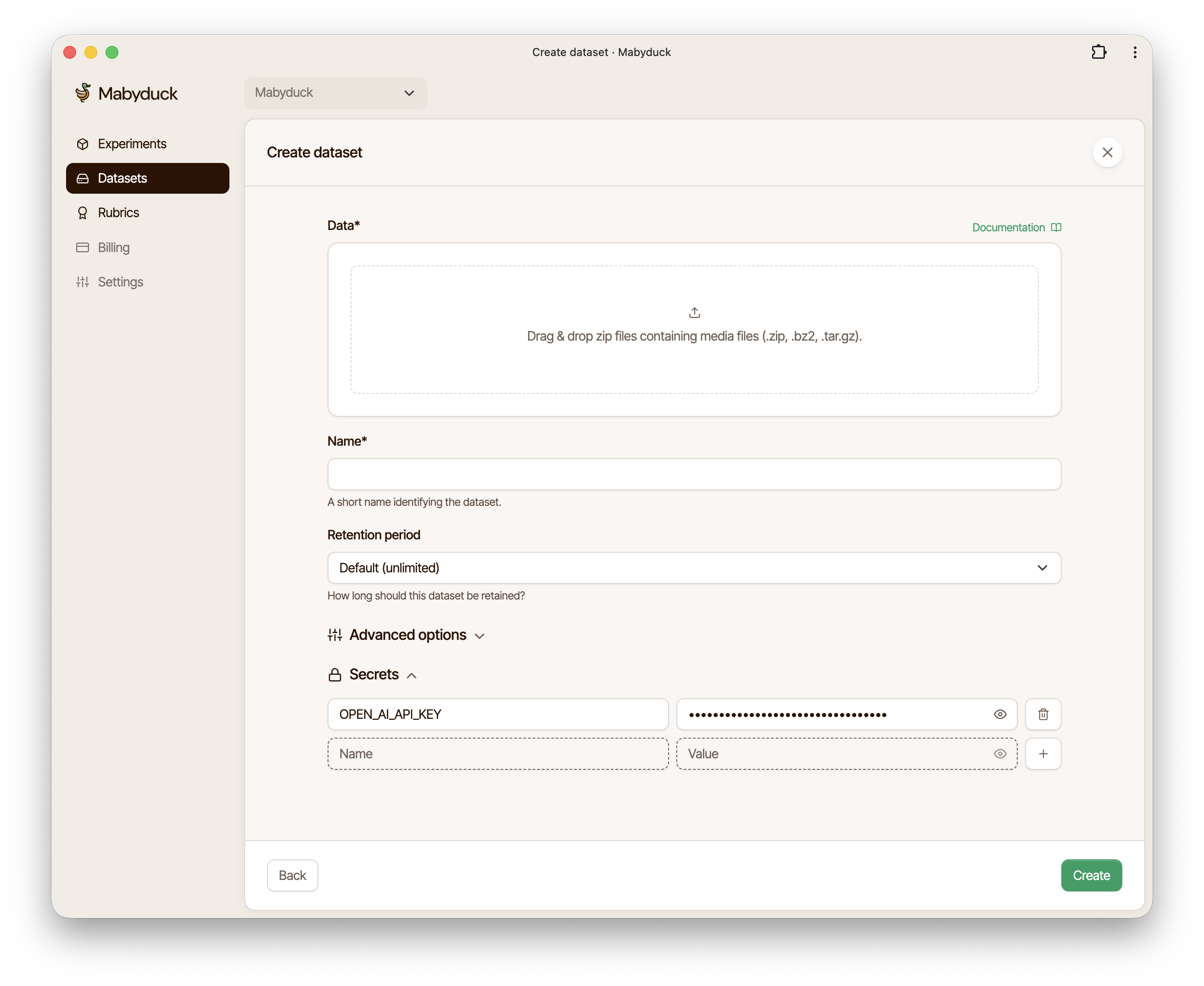
When creating a dataset, you can add secrets in the Secrets section. Each secret requires:
- Name: An uppercase identifier (e.g.,
API_KEY,OPENAI_KEY) - Value: The actual secret value
Secret names must start with an uppercase letter and can only contain uppercase letters, numbers, and underscores. For example: API_KEY, OPENAI_KEY, MY_TOKEN_123.
Reference your secrets using the placeholder syntax:
#{SECRETS.SECRET_NAME}When your code makes a network request containing this placeholder, it is automatically replaced with the actual secret value.
const response = await fetch(
    'https://api.example.com/generate?token=#{SECRETS.API_TOKEN}'
);const response = await fetch('https://api.openai.com/v1/chat/completions', {
method: 'POST',
headers: {
'Authorization': 'Bearer #{SECRETS.OPENAI_KEY}',
'Content-Type': 'application/json'
},
body: JSON.stringify({ /* ... */ })
});const ws = new WebSocket(
'wss://api.example.com/stream?token=#{SECRETS.WS_TOKEN}'
);You can define multiple secrets per dataset and use them in the same request:
const response = await fetch('https://api.example.com/v1/generate', {
    method: 'POST',
    headers: {
        'X-API-Key': '#{SECRETS.API_KEY}',
        'X-Client-Secret': '#{SECRETS.CLIENT_SECRET}'
    },
    body: JSON.stringify({ /* ... */ })
});You can also add secrets when creating a dataset through the API by including a secrets array in your request:
curl -X POST \
    'https://api.mabyduck.com/projects/{project_id}/datasets/' \
    -H 'Authorization: Api-Key <YOUR_API_KEY>' \
    -H 'Content-Type: application/json' \
    -d '{
        "name": "My Dataset",
        "filename": "dataset.zip",
        "secrets": [
            {"name": "OPENAI_KEY", "value": "sk-..."},
            {"name": "API_TOKEN", "value": "token-123"}
        ]
    }'
import requests
response = requests.post(
f"https://api.mabyduck.com/projects/{project_id}/datasets/",
headers={
"Authorization": "Api-Key <YOUR_API_KEY>",
"Content-Type": "application/json"
},
json={
"name": "My Dataset",
"filename": "dataset.zip",
"secrets": [
{"name": "OPENAI_KEY", "value": "sk-..."},
{"name": "API_TOKEN", "value": "token-123"}
]
}
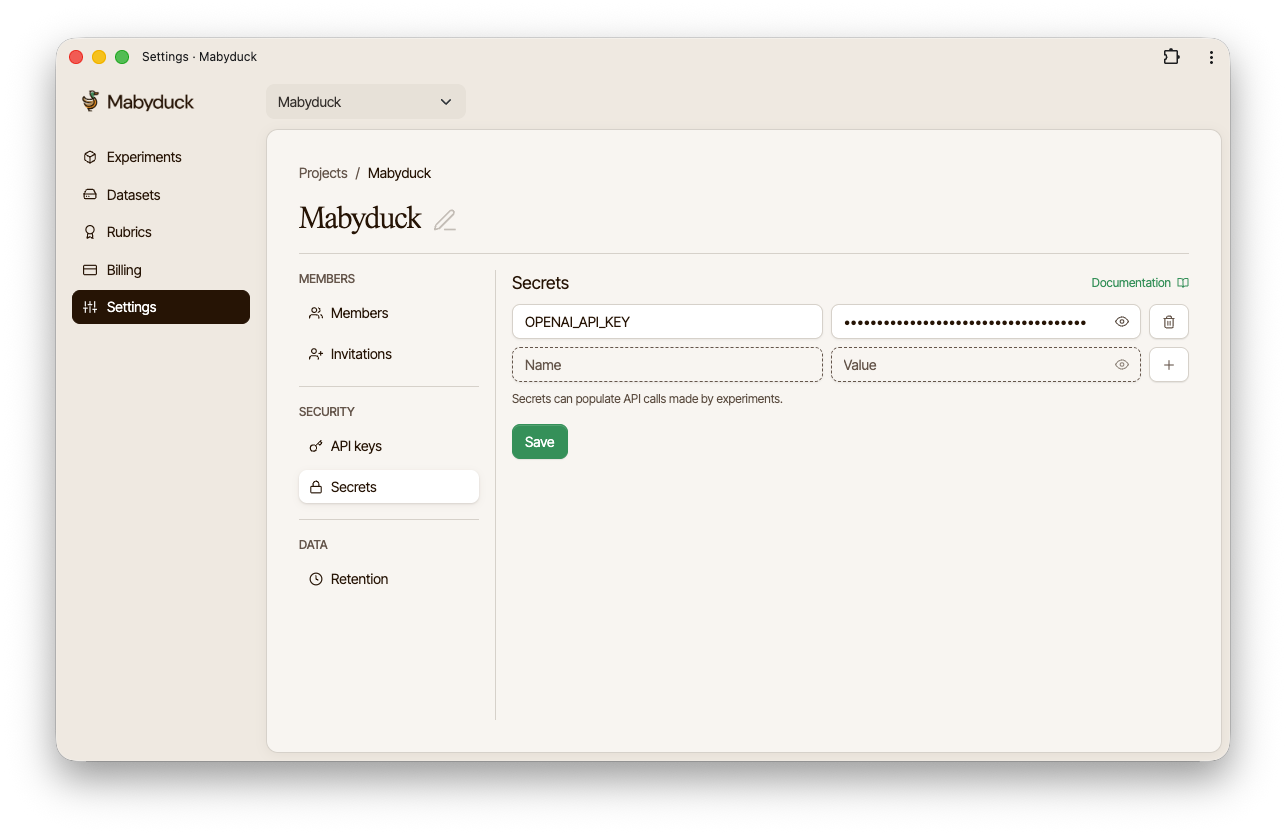
)Project secrets are shared across all datasets within a project. They can be added in the Project Settings under the Secrets tab. Project secrets can be referenced in any dataset using the same #{SECRETS.SECRET_NAME} syntax, allowing you to manage common credentials at the project level. Dataset-level secrets take precedence over project-level secrets if there are naming conflicts.