The Absolute Category Rating (ACR) image experiment presents raters with individual images and asks them to rate each one on a categorical quality scale. ACR is a standard methodology for evaluating perceived image quality, commonly used for assessing image compression methods, enhancement algorithms, and generative image models ITU-R BT.500-13.
Unlike pairwise comparisons where stimuli are evaluated relative to each other, ACR asks raters to judge each stimulus independently. This makes it well suited for large-scale evaluations where the number of conditions would make pairwise comparisons impractical.
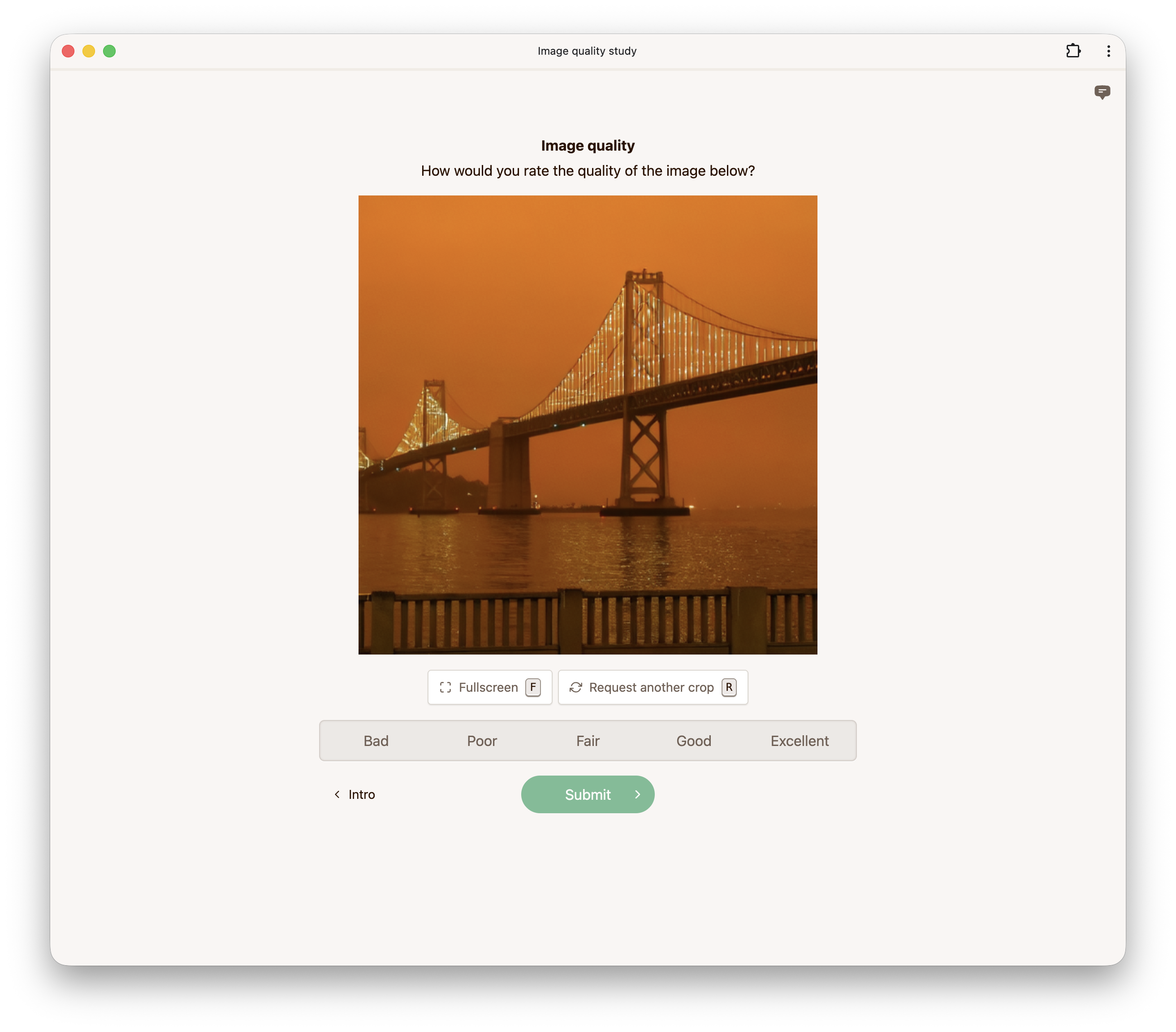
By default, the rating scale uses the standard five-point ACR scale:
| Score | Label |
|---|---|
| 5 | Excellent |
| 4 | Good |
| 3 | Fair |
| 2 | Poor |
| 1 | Bad |
Categories are fully customizable. You can change the number of categories (between 2 and 10), their labels, and their scores.
The response type controls how raters indicate their rating. When set to discrete (the default), raters select one of the configured categories. When set to continuous, a slider is shown and raters can choose any value within the range defined by the categories.
When enabled, a hidden reference is included among the stimuli that raters evaluate. Since the rater does not know which stimulus is the reference, this can be used to verify that raters are paying attention (the reference should receive high scores).
Images may be cropped for practical reasons if the full-resolution images do not fit on the screen and you do not wish to scale them down. The maximum crop size controls the size of the crop. The initial crop is chosen uniformly at random from all possible crops.
If you enable allow crop refresh, raters can request a different random crop if they wish to see a different part of the image.
If enabled, the image is scaled to fit fully onto the screen. If disabled, the image is displayed at full resolution (1 image pixel corresponds to 1 CSS pixel), but cropped according to the maximum crop size.
This option controls the minimum duration (in milliseconds) for which the image must be displayed before raters can submit their response.
Below is an example configuration to get you started when using our API to create an ACR image experiment.
config = {
    "acrImage": {
        "categories": [
            {"score": 1, "label": "Bad"},
            {"score": 2, "label": "Poor"},
            {"score": 3, "label": "Fair"},
            {"score": 4, "label": "Good"},
            {"score": 5, "label": "Excellent"},
        ],
        "responseType": "discrete",
        "hiddenReference": True,
        "allowCropRefresh": True,
        "scaleToFit": False,
        "maxCropSize": 512,
        "minViewDuration": 1000,
    },
}