The survey image experiment presents raters with individual images and asks them to answer custom survey questions about each one. Unlike ACR image where raters select a score from a fixed category scale, the survey experiment supports open-ended text responses, single-choice (radio), and multiple-choice (checkbox) questions.
This is useful when you need qualitative feedback or structured responses that go beyond a simple quality rating, such as asking raters to describe what they see, identify specific artifacts, or classify image attributes.
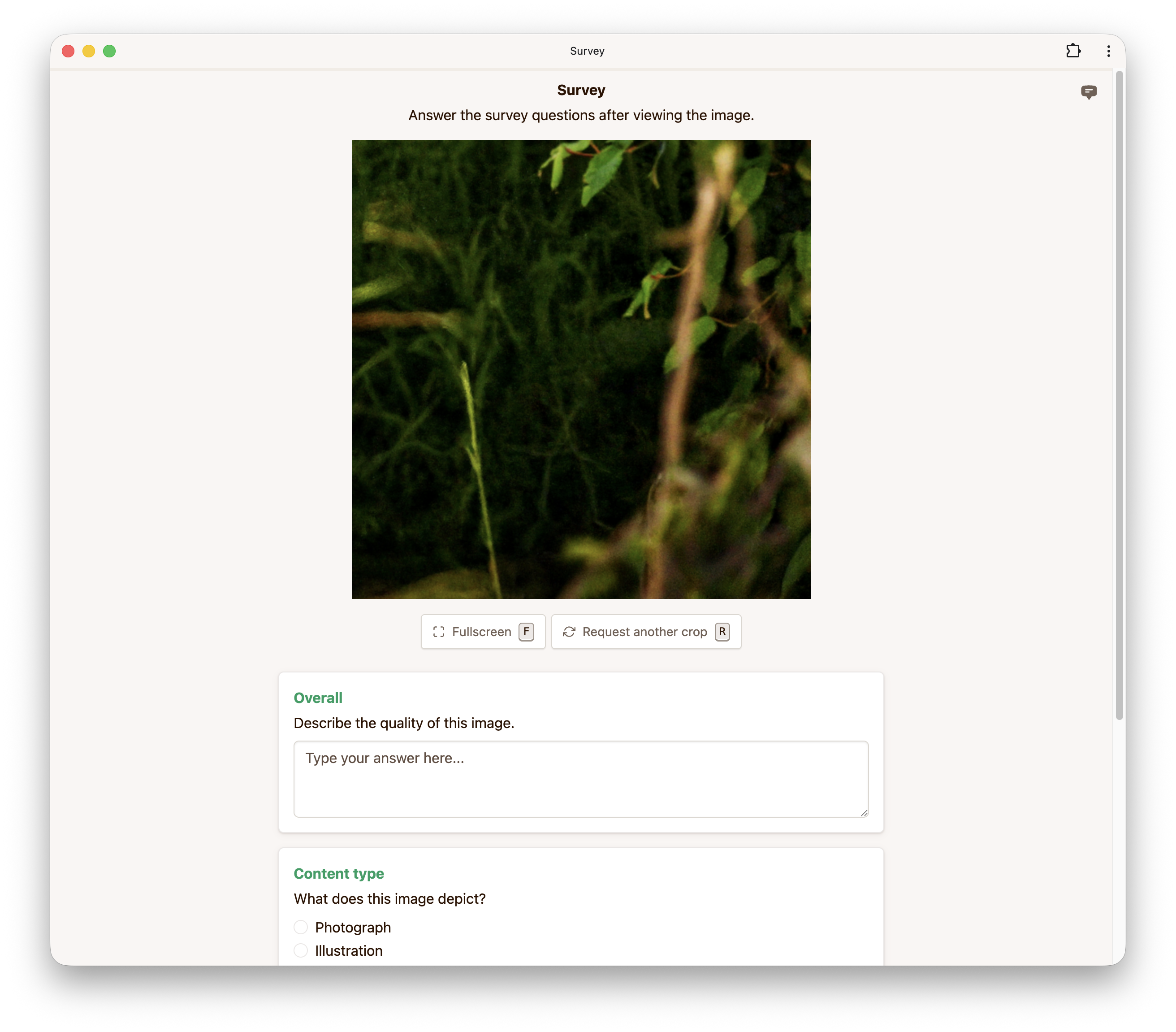
You can configure up to 10 survey questions per experiment. Each question requires a kind (the question type), a question (the prompt), and a dimension (a short label used to identify the question in the results).
Three question types are supported:
| Kind | Description |
|---|---|
textarea | An open-ended text response field. |
radio | A single-choice question where the rater selects one option. |
checkbox | A multiple-choice question where the rater selects one or more options. |
For radio and checkbox questions, you must also provide a list of choices. For checkbox questions, you can optionally set minSelect and maxSelect to constrain the number of selections.
Images may be cropped for practical reasons if the full-resolution images do not fit on the screen and you do not wish to scale them down. The maximum crop size controls the size of the crop. The initial crop is chosen uniformly at random from all possible crops.
If you enable allow crop refresh, raters can request a different random crop if they wish to see a different part of the image.
This option controls the minimum duration (in milliseconds) for which the image must be displayed before raters can submit their response.
Below is an example configuration to get you started when using our API to create a survey image experiment.
config = {
    "surveyImage": {
        "survey": [
            {
                "kind": "textarea",
                "dimension": "Overall",
                "question": "Describe the quality of this image.",
            },
            {
                "kind": "radio",
                "dimension": "Content type",
                "question": "What does this image depict?",
                "choices": [
                    {"label": "Photograph"},
                    {"label": "Illustration"},
                    {"label": "AI-generated"},
                    {"label": "Other"},
                ],
            },
            {
                "kind": "checkbox",
                "dimension": "Artifacts",
                "question": "Which artifacts do you notice? (Select all that apply)",
                "choices": [
                    {"label": "Blurriness"},
                    {"label": "Color banding"},
                    {"label": "Noise"},
                    {"label": "Compression artifacts"},
                    {"label": "None"},
                ],
                "minSelect": 1,
            },
        ],
        "allowCropRefresh": True,
        "maxCropSize": 512,
        "minViewDuration": 1000,
    },
}