The Rubric video experiment extends the standard ACR video experiment by allowing raters to evaluate each video along multiple dimensions. Instead of a single quality rating, raters respond to a set of statements using an agreement scale (e.g., "Strongly disagree" to "Strongly agree").
This is useful when you want to capture more nuanced feedback about different aspects of video quality, such as visual fidelity, temporal consistency, or realism, all within a single experiment.
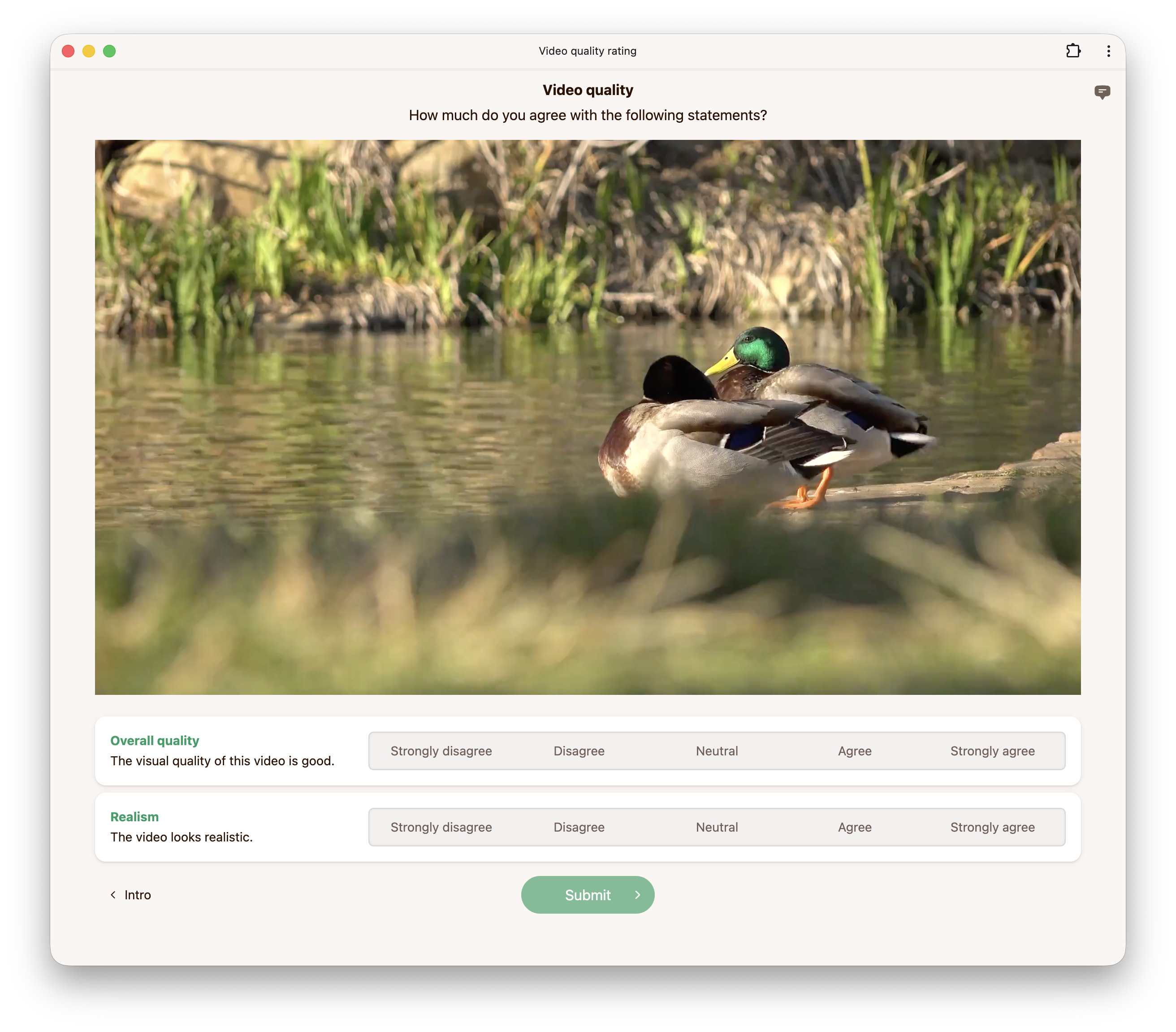
You can configure multiple questions, each defined by a statement and a dimension label. Raters respond to each statement independently using the same set of categories. Up to 10 questions can be configured.
For example:
| Dimension | Statement |
|---|---|
| Overall quality | The visual quality of this video is good. |
| Realism | The video looks realistic. |
By default, the rating scale uses a five-point agreement scale:
| Score | Label |
|---|---|
| 2 | Strongly agree |
| 1 | Agree |
| 0 | Neutral |
| -1 | Disagree |
| -2 | Strongly disagree |
Categories are fully customizable. You can change the number of categories (between 2 and 10), their labels, and their scores.
By default, videos are played without audio. If your videos contain audio and you wish to play it, you can enable it here.
When enabled, raters are required to view the video in fullscreen mode.
This option controls the minimum duration (in milliseconds) for which the video must be played before raters can submit their response.
Our multi-ACR video experiment requires fragmented mp4s. Videos uploaded to our platform are automatically fragmented but if you are self-hosting data, you can use the ffmpeg command below to generate fragmented mp4s.
We do not transcode videos uploaded to our platform. For high quality and wide browser compatibility, we recommend encoding videos using ffmpeg with the following settings:
ffmpeg -i INPUT \
  -preset veryslow \
  -keyint_min 2 -g 24 -sc_threshold 0 \
  -c:v libx264 -pix_fmt yuv420p -crf 17 \
  -c:a aac -b:a 256k -ac 2 -ar 48000 \
  -movflags +frag_keyframe+empty_moov+default_base_moof \
  OUTPUT.mp4
CRF values below 18 are generally considered visually lossless. Similarly for audio, compression at 256 kbps or above is considered unnoticeable [1, 2].
Below is an example configuration to get you started when using our API to create a multi-ACR video experiment.
config = {
    "multiAcrVideo": {
        "questions": [
            {
                "dimension": "Overall quality",
                "statement": "The visual quality of this video is good.",
            },
            {
                "dimension": "Realism",
                "statement": "The video looks realistic.",
            },
        ],
        "categories": [
            {"score": -2, "label": "Strongly disagree"},
            {"score": -1, "label": "Disagree"},
            {"score": 0, "label": "Neutral"},
            {"score": 1, "label": "Agree"},
            {"score": 2, "label": "Strongly agree"},
        ],
        "hasAudio": False,
        "fullscreen": False,
        "minPlayDuration": 1000,
    },
}[1] Pras et al. (2009). Subjective Evaluation of MP3 Compression for Different Musical Genres.
[2] Hines et al. (2014). Perceived Audio Quality for Streaming Stereo Music.