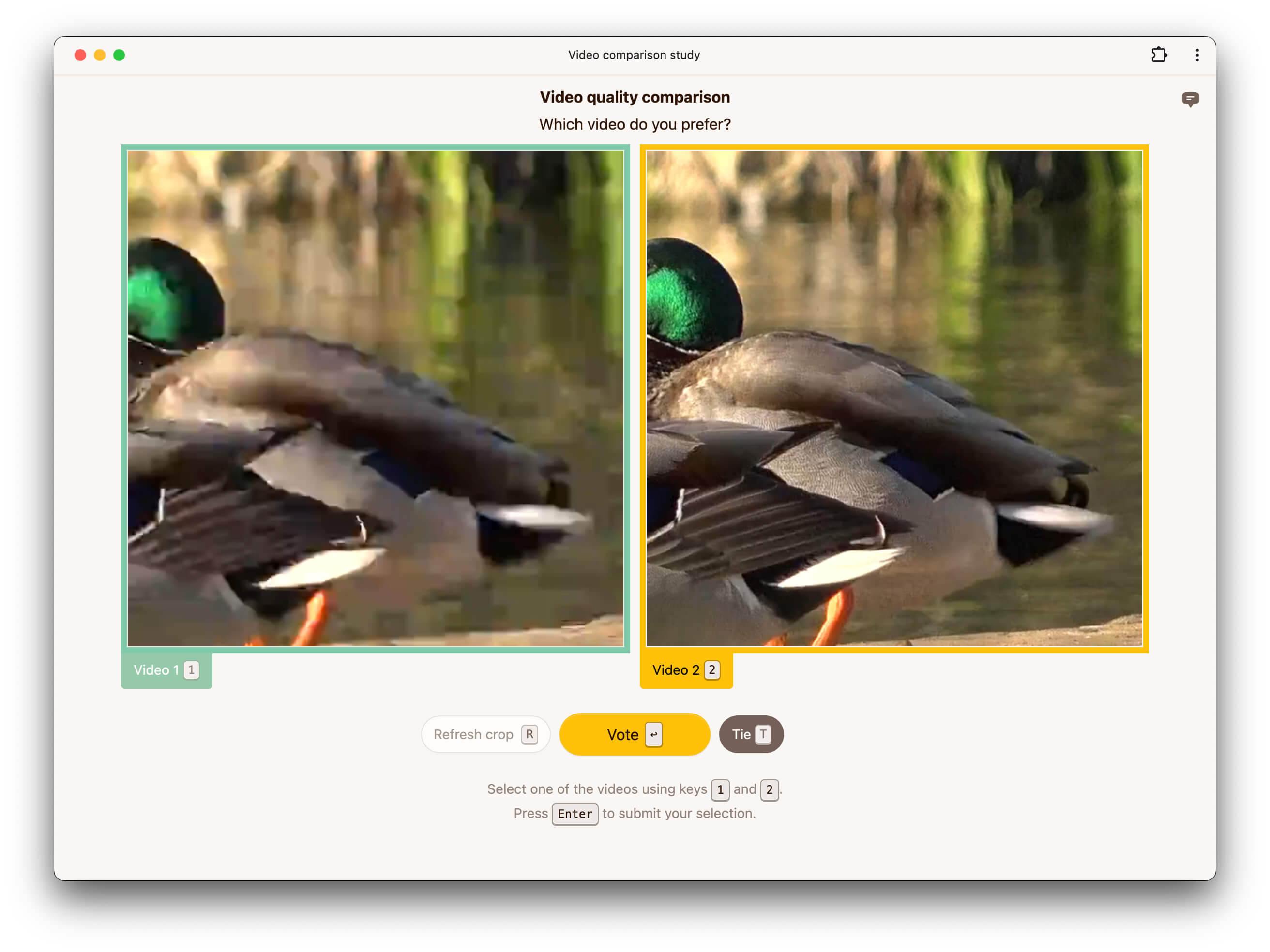
The pairwise video experiment supports three modes which determine how the images are arranged on the screen. In side-by-side mode, videos are presented next to each other.
Alternatively, raters can be asked to flip between conditions, in which case the two videos are placed on top of each other. This makes it easier for raters to spot differences between the two conditions being evaluated. Any reference is displayed separately next to the two conditions.
Finally, raters an be asked to flip between the reference and conditions, in which case all three videos are stacked on top of each other. This makes it easier for raters to spot differences between the conditions and the reference.
You can control how users indicate their preferences by choosing a response type in the instructions section. If the response type is set to binary, raters are asked to choose which of two videos they prefer.
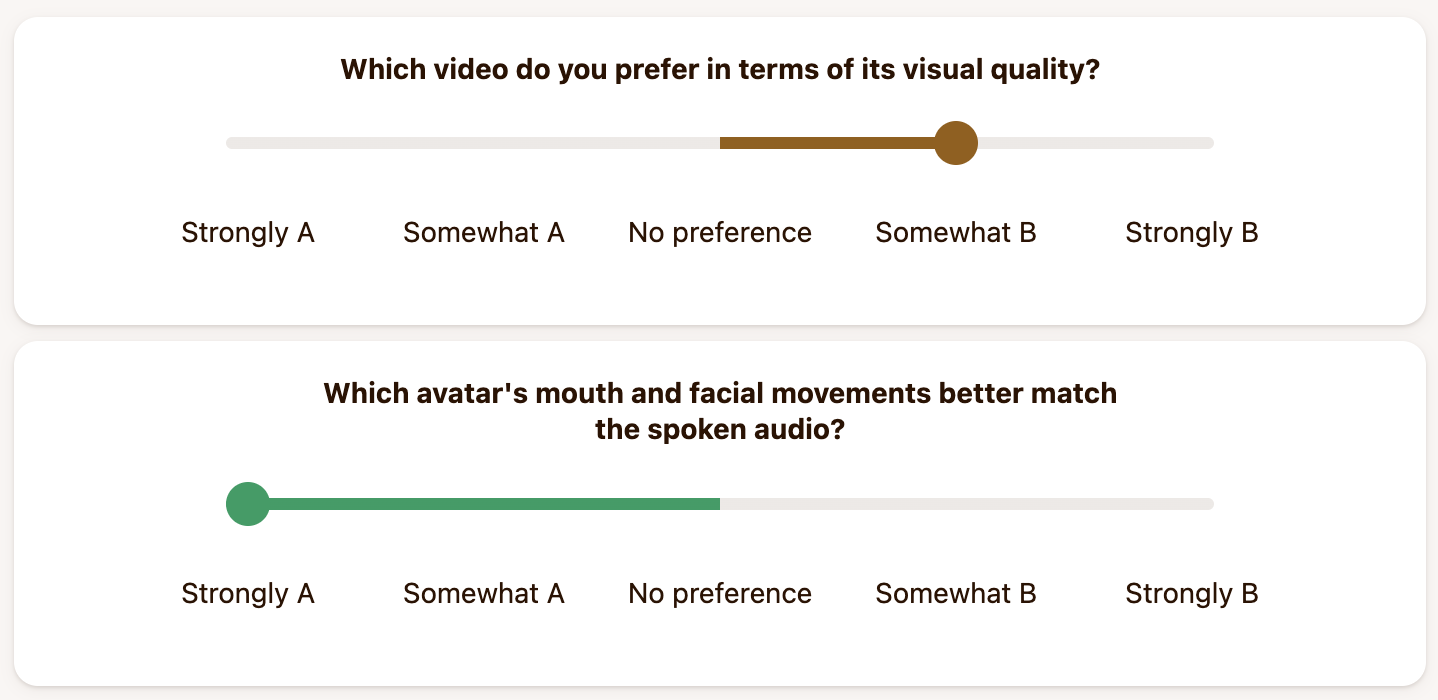
Alternatively, if the response type is continuous, raters are asked to indicate how much they prefer one video over the other using a slider.
If the response type is discrete, the slider is discretized and users can only give certain scores. By default, the scores are -2, -1, 0, 1, and 2. The scores and labels can be customized.
It is also possible to ask raters to compare videos along multiple dimensions. To do so, you can configure multiple questions in the instructions section.
If disabled, no reference video is shown even if a reference is present in the dataset. If enabled, a reference video is shown when available in the dataset.
If enabled, an extra tie button is displayed, allowing raters to indicate that they find both videos equally preferable. This option only applies when the response type is set to binary and is ignored otherwise.
If enabled, the video is scaled to fit fully onto the screen. If this option is disabled, the video is displayed at full resolution (1 video pixel corresponds to 1 CSS pixel), but cropped.
If the video is not scaled to fit, this option controls the crop size. The initial crop is chosen uniformly at random from all possible crops.
If enabled, raters can request a different random crop if they wish to see a different part of the video. Otherwise, they are shown a single random crop of the video.
This option controls the minimum duration (in milliseconds) for which the video must be played before raters can submit their response.
In flip-between modes, this option allows you to briefly display a gray mask between video flips.
By default, videos are played without audio. If your videos contain audio and you wish to play it, you can enable it here.
If enabled, videos will automatically restart playing when they end. This can be helpful if videos are short and you want to give raters the opportunity to watch them multiple times.
Our pairwise video experiment requires fragmented mp4s. Videos uploaded to our platform are automatically fragmented but if you are self-hosting data, you can use the ffmpeg command below to generate fragmented mp4s.
We do not transcode videos uploaded to our platform. For high quality and wide browser compatibility, we recommend encoding videos using ffmpeg with the following settings:
ffmpeg -i INPUT \
  -preset veryslow \
  -keyint_min 2 -g 24 -sc_threshold 0 \
  -c:v libx264 -pix_fmt yuv420p -crf 17 \
  -c:a aac -b:a 256k -ac 2 -ar 48000 \
  -movflags +frag_keyframe+empty_moov+default_base_moof \
  OUTPUT.mp4
CRF values below 18 are generally considered visually lossless. Similarly for audio, compression at 256 kbps or above is considered unnoticeable [1, 2].
Below is an example configuration to get you started when using our API to create a pairwise video experiment.
config = {
    "pairwiseVideo": {
        "mode": "side-by-side",
        "responseType": "discrete",
        "showReference": False,
        "allowTies": False,
        "scaleToFit": True,
        "maxCropSize": 512,
        "allowCropRefresh": False,
        "minDisplayDuration": 200,
        "maskDuration": 0,
        "audio": True,
        "loopVideo": False,
        "categories": [
            {"score": -2, "label": "Strongly A"},
            {"score": -1, "label": "Somewhat A"},
            {"score": 0, "label": "No preference"},
            {"score": 1, "label": "Somewhat B"},
            {"score": 2, "label": "Strongly B"}
        ],
        "questions": [
            {
                "dimension": "Visual quality",
                "statement": "Which video has better visual quality?"
            },
            {
                "dimension": "Lip sync quality",
                "satetement": "Which avatar"s mouth movements better match the spoken audio?"
            },
        ],
    },
}[1] Pras et al. (2009). Subjective Evaluation of MP3 Compression for Different Musical Genres.
[2] Hines et al. (2014). Perceived Audio Quality for Streaming Stereo Music.