Datasets
The basic structure of datasets should follow this example:
├── source_1/
│   ├── method_a.png
│   ├── method_b.png
│   └── method_c.png
├── source_2/
│   ├── method_c.png
│   └── method_d.png
├── source_3/
│   ├── ...
Media files inside each folder correspond to different conditions or methods applied to the same source or context. For example, different text-to-image models applied to the same prompt, or different compression methods applied to the same audio file.
Uploading a dataset
The folder structure above is uploaded as an archive: .zip, .tar, .tar.gz, or .tar.bz2. If
your media files are already hosted elsewhere, upload a .txt or .csv manifest of URLs instead,
see self-hosted datasets. Datasets can also be created programmatically,
see the API tutorial.
Files are recognized as stimuli based on their extension:
| Media type | Extensions |
|---|---|
| Audio | wav, mp3, ogg |
| Image | png, jpg, jpeg, gif, jp2, jxl |
| Video | mp4 |
Files with other extensions are not recognized as audio, image, or video stimuli. See videos for the recommended video encoding settings.
References and anchors
Some experiments support references and anchors. These are files of known high or low quality.
├── source_1/
│   ├── method_a.mp3
│   ├── method_b.mp3
│   ├── reference.mp3  (optional)
│   └── low.mp3        (optional)
├── source_2/
│   ├── ...
The names of these files are configurable and can be different for each dataset, but reference.*
is the default pattern for reference files.
Configuration files
Click here to view the full config specification and validate your config.
Each folder may contain one or more configuration files:
├── source_1/
│   ├── config.json   (optional)
│   ├── method_a.mp4
│   └── method_b.mp4
├── source_2/
│   ├── ...
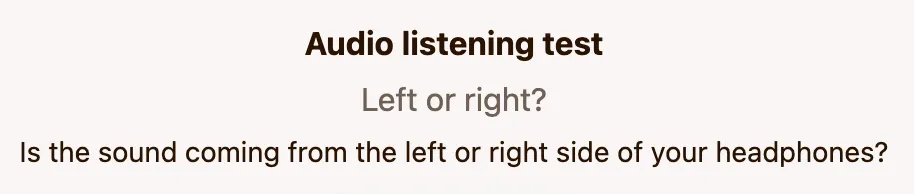
These control the user interface of the experiment. For example:
{
    "title": "Audio listening test",
    "question": "Left or right?",
    "description": ["Is the sound coming from the left or right side of your headphones?"]
}
This would be rendered as:
A more complex example which illustrates a description rendering as tags:
{
    "title": "Alignment test",
    "question": "Which of the audio files better matches the following description?",
    "description": [
        {
            "genre": "jazz",
            "subgenre": "cool jazz",
            "is_instrumental": true,
            "is_live": true,
            "mood": "relaxed",
            "primary_instrument": "saxophone",
            "tempo": "slow"
        },
        "Live jazz recording with a mellow, late-night vibe – featuring smooth saxophone and brushed drums. Something similar to Stan Getz or Chet Baker that feels intimate and relaxed."
    ]
}
This would be rendered as:

Each entry in the description array is rendered as a new line.
The interface also honors the following keys:
| Key | Description |
|---|---|
order | Stimulus order within a slate for the randomized and lexicographic strategies: random (default) or lexicographic. |
theme | Color theme of the interface, dark or light. |
survey | Survey questions asked about the stimuli. Their dimension values become the evaluation dimensions. |
The name of the config file is configurable within each experiment, but config.json is the
default.
To highlight specific moments or ranges in audio and video stimuli, see Markers.
Groups
Files may be grouped using the following syntax:
├── source_1/
│   ├── method_a@upsampling=2.png
│   ├── method_a@upsampling=4.png
│   ├── method_a@upsampling=8.png
│   ├── method_b@upsampling=2.png
│   ├── method_b@upsampling=4.png
│   └── method_b@upsampling=8.png
├── source_2/
│   ├── ...
These groups are only used for visualization purposes. For example, to plot bit-rates against perceptual quality as in the figure below:
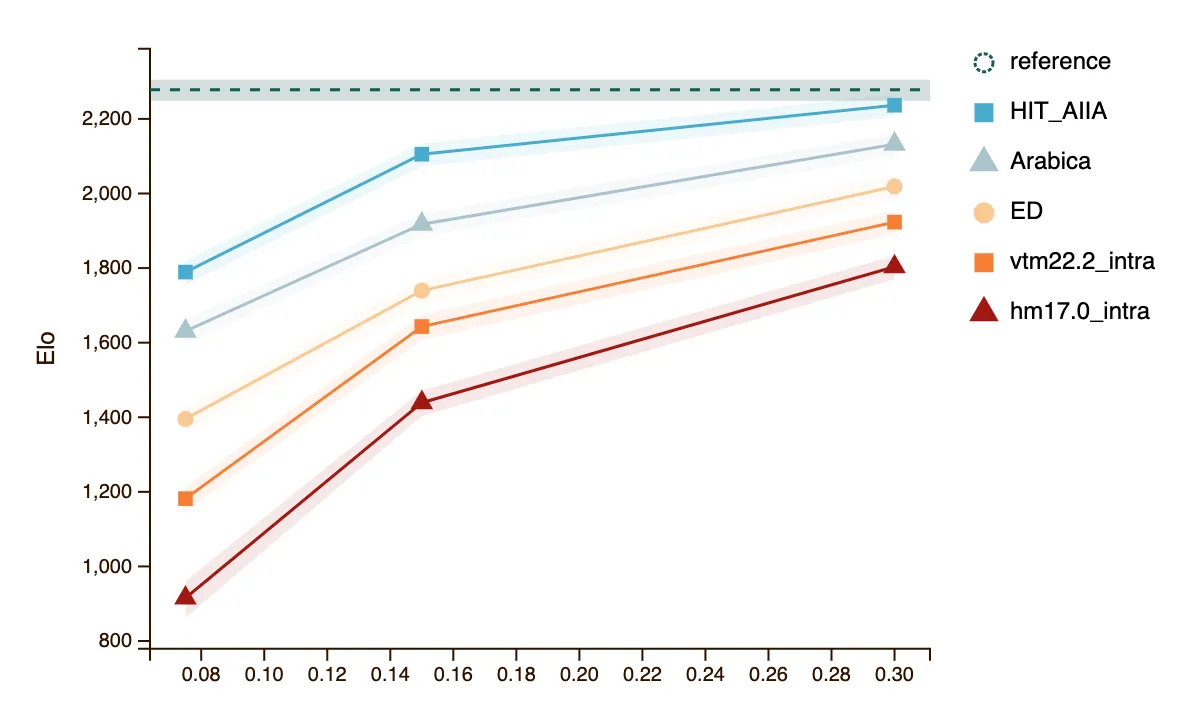
The parameters can be arbitrary numbers. Different methods may use different
parameters, and some conditions may have no parameters at all (e.g., reference.png).
However, note that each filename is treated as a separate
condition. To ensure that each condition is assigned a sufficient number of ratings, we
recommend that parameters are repeated across sources.
One parameter is special: seed is ignored when deriving the condition name. method_a@seed=1.png
and method_a@seed=2.png are therefore the same condition (method_a), and
method_a@upsampling=2,seed=1.png is the condition method_a @ upsampling=2. Use this to place
several samples of the same condition in one source folder: most sampling strategies pick one of
them at random each time the group is presented, while the uniform and exhaustive strategies present
each of them. Either way, all ratings are aggregated under the single condition name.