Golden datasets
A golden dataset holds golden questions: slates with an answer you already know, mixed into each session to check that a rater is paying attention. Golden questions are excluded from an experiment's results, so they measure the rater rather than the methods being compared.
Any dataset can serve as a golden dataset. Attach it to an experiment as such, and its folders are used for golden questions instead of for the comparisons the experiment is about.
Attach a golden dataset
When creating an experiment, open the Datasets section and pick one or more datasets under Golden datasets, beside the regular and training datasets.
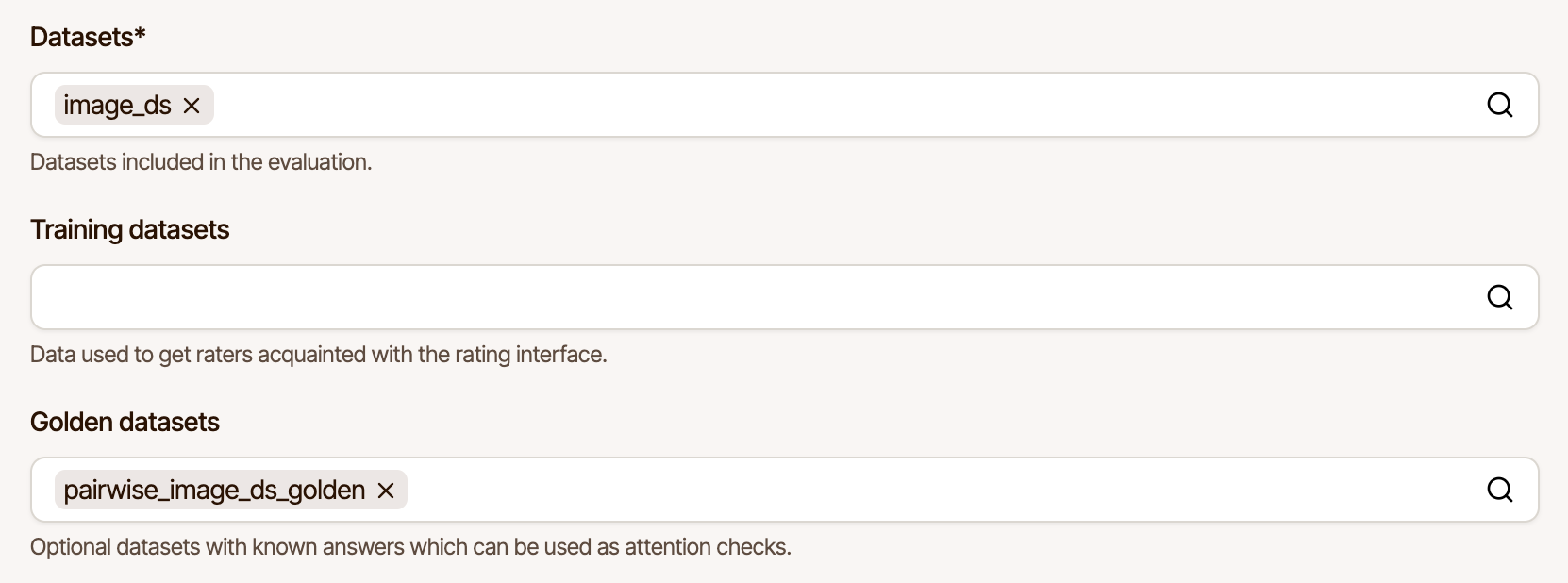
Then, when creating a job, set the Number of golden questions per session. The option only appears once the experiment has a golden dataset.
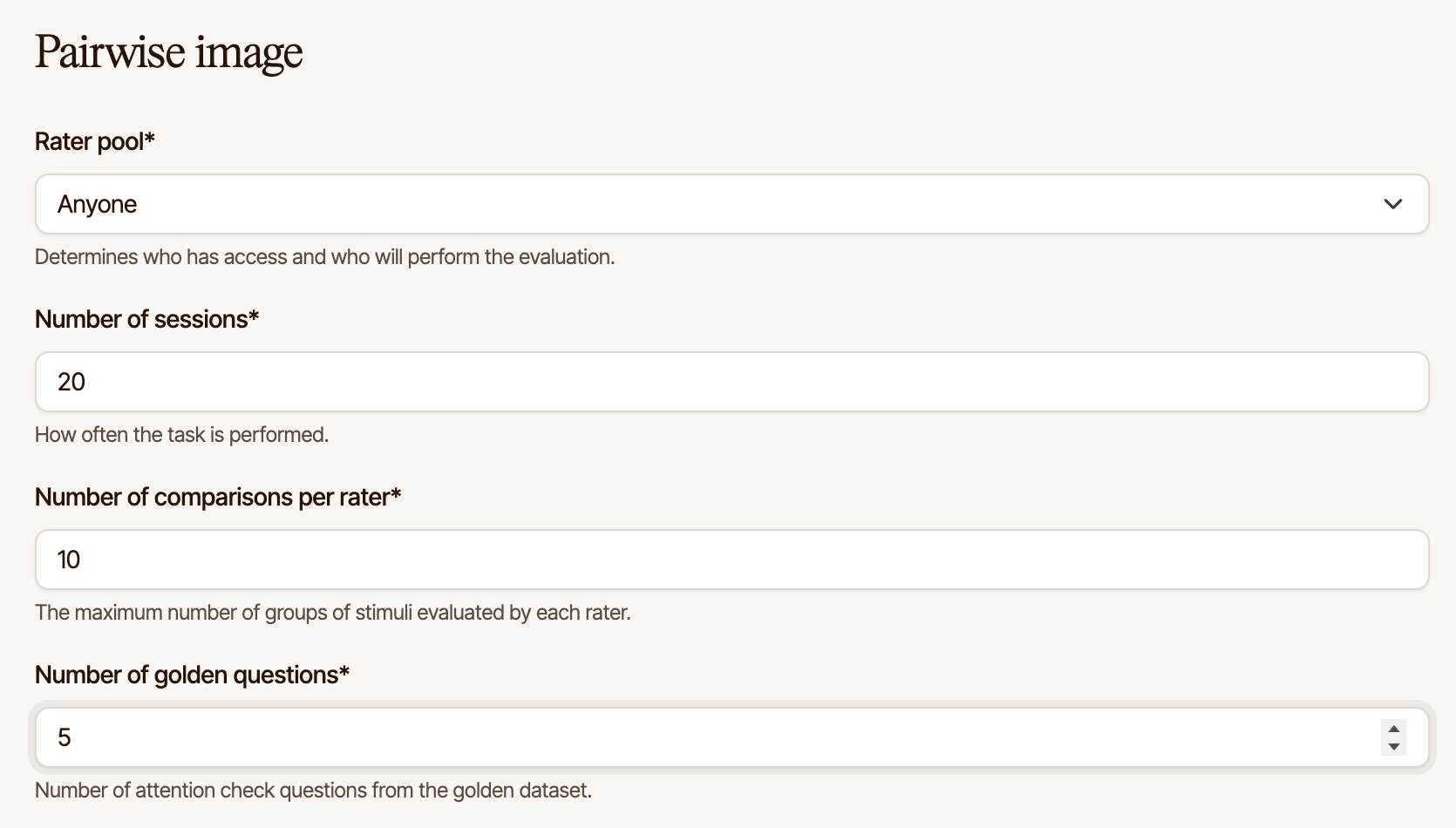
Golden questions are spread through each session: never on the first slate, and never two in a row when the session is long enough to avoid it. Their positions differ per session, so a rater cannot learn where to expect them.
By default, a golden question is assembled from a golden dataset's folder the same way any other slate is, by combining the files it contains. To control exactly which stimuli appear together, and to declare the correct answer, define custom slates.
Custom slates
A slate is one screen of an experiment: the stimuli a rater compares or scores in one step. A
custom slate is one you write out by hand in a slates.json file, one per folder, keyed by the
experiment type it applies to:
├── source_1/
│   ├── config.json   (optional)
│   ├── slates.json   (optional)
│   ├── method_a.mp4
│   └── method_b.mp4
├── source_2/
│   ├── ...
{
    "pairwiseVideo": [
        {
            "stimuli": ["method_a.mp4", "method_b.mp4"],
            "reference": "source.mp4"
        },
        {
            "stimuli": ["method_c.mp4", "method_d.mp4"]
        }
    ]
}
Filenames refer to files in the same folder. Because each experiment type has its own list, one
dataset can define different slates for pairwiseVideo, acrVideo, and so on, and each
experiment reads only its own.
| Field | Required | Description |
|---|---|---|
stimuli | Yes | Filenames of the stimuli to show, in the order they should appear. |
reference | No | Filename of the reference stimulus. |
anchors | No | Filenames of anchor stimuli, keyed by label (low, medium, high). |
expected | No | The response a correct rater is expected to give. |
When a golden question is due, the next folder in the golden dataset is used: if it defines
slates for the experiment type being run, one of those is served, and otherwise a slate is
assembled from its files as usual. Folders without a slates.json are unaffected, so a golden
dataset can mix hand-authored and automatic golden questions.
A folder's slates are served in turn, in an order that differs per session, so a rater sees each of them once before any repeats.
A slates.json in a dataset that is not attached as a golden dataset has no effect. Custom
slates never count towards an experiment's results.
Slates are checked when the dataset is uploaded, and the upload fails with a message naming the slate at fault if any of them cannot be served: a filename the folder does not contain, more or fewer stimuli than the experiment type shows, or an expected response from a stimulus the slate does not show. Fix the file and upload the dataset again.
Expected responses
Add expected to a custom slate to declare what a correct answer looks like. Each response is
then recorded as correct or incorrect, which you can use to judge rater quality.
An expectation takes exactly one of winner, score, scores, text, highlight, or
selected. Use whichever suits the way the experiment records its answers.
Which stimulus wins
For experiments where raters compare stimuli, name the file that should come out on top:
{
    "stimuli": ["method_a.mp4", "method_b.mp4"],
    "expected": { "winner": "method_a.mp4" }
}
winner works for every response type, from a two-button choice to a continuous slider to a
ranking, where the top rank wins. Because it names a file rather than a position, it stays
correct wherever the stimulus appears on screen.
A tie counts as incorrect. Naming a winner asserts that the difference is there to be seen, which makes "no preference" a wrong answer rather than a partly right one.
What score to give
For experiments where raters score a single stimulus, use score:
{
    "stimuli": ["broken.mp4"],
    "expected": { "score": [1, 2] }
}
An exact score is rarely what you want, so four forms are accepted:
| Form | Meaning |
|---|---|
4 | Exactly 4. |
[1, 10] | Anything from 1 to 10, inclusive. |
[90, null] | 90 or above. [null, 10] means 10 or below. |
{ "in": [1, 3] } | Either 1 or 3, but not 2. |
Use a range when the scale is a slider and any value in a band is defensible. On a 0 to 100
slider, [1, 10] accepts anything in the bottom tenth.
Use in when the scale has a handful of discrete categories and the acceptable answers are not
next to each other, since [1, 3] means "1 through 3" rather than "1 or 3".
A score per stimulus
When a slate shows several stimuli and each has its own expected score, use scores, keyed by
filename:
{
    "stimuli": ["reference.wav", "low.wav", "method_a.wav"],
    "expected": {
        "scores": {
            "reference.wav": [80, 100],
            "low.wav": [0, 40]
        }
    }
}
Stimuli you leave out are not graded, so you can pin down the ones with a known answer and let the rest be judged freely.
One expectation per dimension
Experiments that ask several questions about the same stimuli record one response per dimension.
Use byDimension to give each dimension its own expectation:
{
    "stimuli": ["method_a.mp4", "method_b.mp4"],
    "expected": {
        "byDimension": {
            "temporal": { "winner": "method_a.mp4" },
            "spatial": { "winner": "method_b.mp4" }
        }
    }
}
Dimensions you leave out are not graded. A slate counts as correct only when every dimension you did name is correct, and a dimension you name that the experiment never asks about leaves the slate ungraded rather than partly graded.
Survey questions
Survey experiments record an answer per question rather than a score, so their expectations name the question by its dimension:
{
    "stimuli": ["clip.wav"],
    "expected": {
        "byDimension": {
            "notes": { "text": "a,b,c" },
            "transcript": { "highlight": [0] },
            "confirm": { "selected": ["Yes"] }
        }
    }
}
| Question type | Use | Meaning |
|---|---|---|
| Free text | text | The answer expected, or a set of accepted answers. |
| Highlight words | highlight | The indices of the words that should be highlighted. |
| Select one | selected | The label of the choice that should be selected. |
| Checkboxes | selected | The labels of the choices that should be selected. |
| Discrete slider | score | An admissible score, in any of the four forms above. |
| Continuous slider | score | An admissible score, in any of the four forms above. |
These suit a question with one known answer, such as an attention check whose stimulus or question text says what to answer.
Free text is compared with case, surrounding whitespace and surrounding punctuation ignored, so
"A,B,C" and "a,b,c." both match "a,b,c". Spacing inside an answer counts, and there is no
similarity threshold, so list each acceptable form under in:
{ "text": { "in": ["a,b,c", "a, b, c"] } }
highlight must match exactly, with no word missing and none added. Words are identified by
their position in the transcript, counting from zero. In Thai, Lao, Khmer, Burmese, Chinese and
Japanese, each character counts as a word unless the transcript marks word boundaries with |
(see survey questions). For any other script
written without spaces, | is the only way to mark those boundaries.
selected names choices by their label rather than their position, so reordering a question's
choices does not invert an expectation. Labels are compared the same way as free text, and the
selection must match exactly:
{ "selected": ["Blurry", "Flickering"] }
Use byDimension even for a survey that asks only one question. An expectation that matches
several questions, or none, is left ungraded rather than guessed at.
Reviewing the results
Raters never see which slates are golden or how they were graded while a session is in progress. Once it is complete, the results are available in three places.
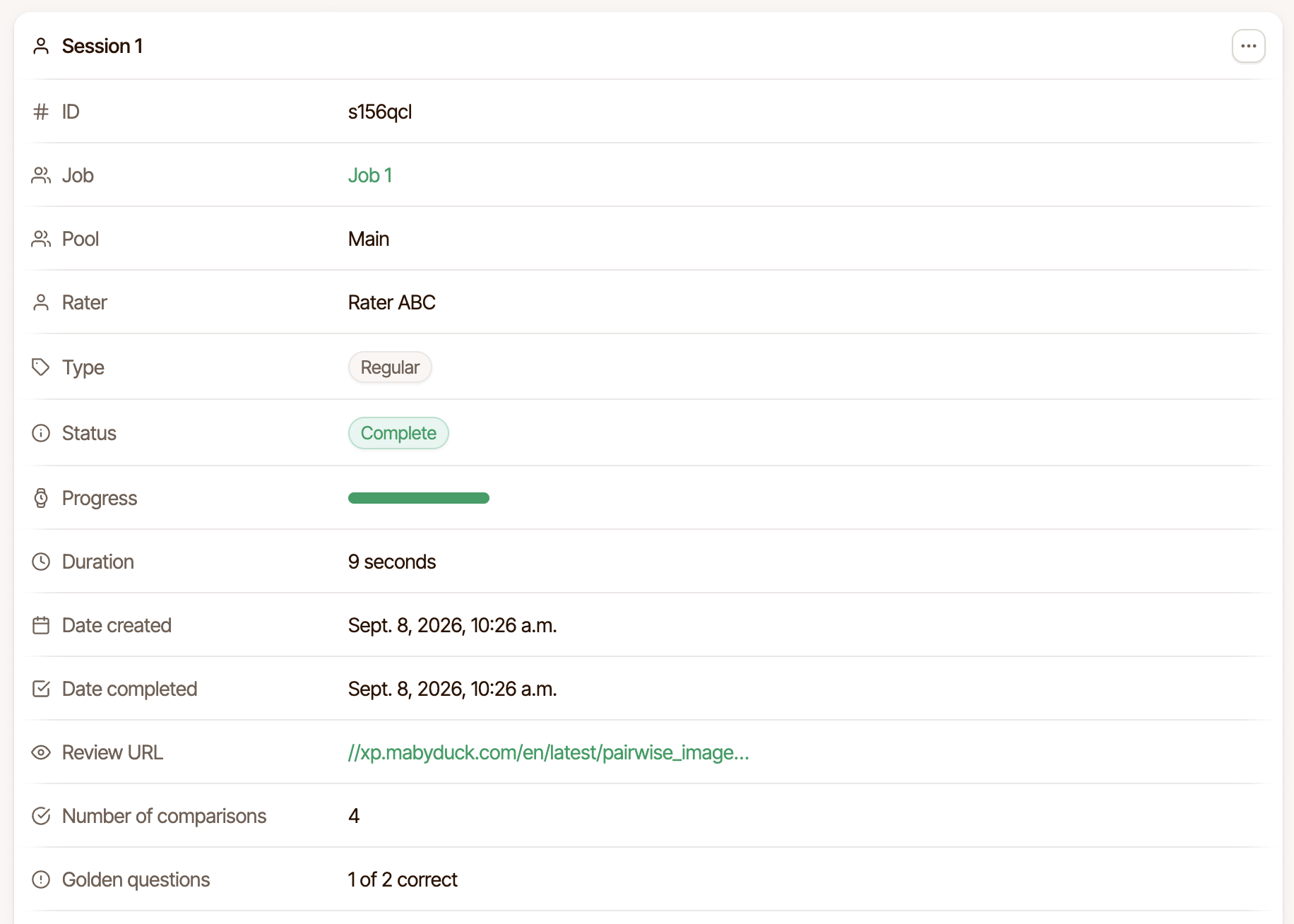
In the experiment view, each session lists its golden questions and, when they declare expected responses, how many were answered correctly.
When replaying a session, each golden slate is marked as such, and shows whether its response was correct.
Through the API, every slate carries is_golden and is_correct:
is_correct | Meaning |
|---|---|
true | The response matched what was expected. |
false | It did not. |
null | Nothing was expected, or the expectation could not be judged in full. |
To compare how one slate performs across many raters, group slates by the stimuli they show. A slate that almost everyone fails is usually a problem with the slate rather than with the raters.