Secrets
Dataset secrets allow you to securely store API keys, tokens, and other sensitive credentials alongside your dataset. These secrets are encrypted at rest and never exposed to raters. Instead, they are injected server-side when your code makes network requests.
Adding secrets
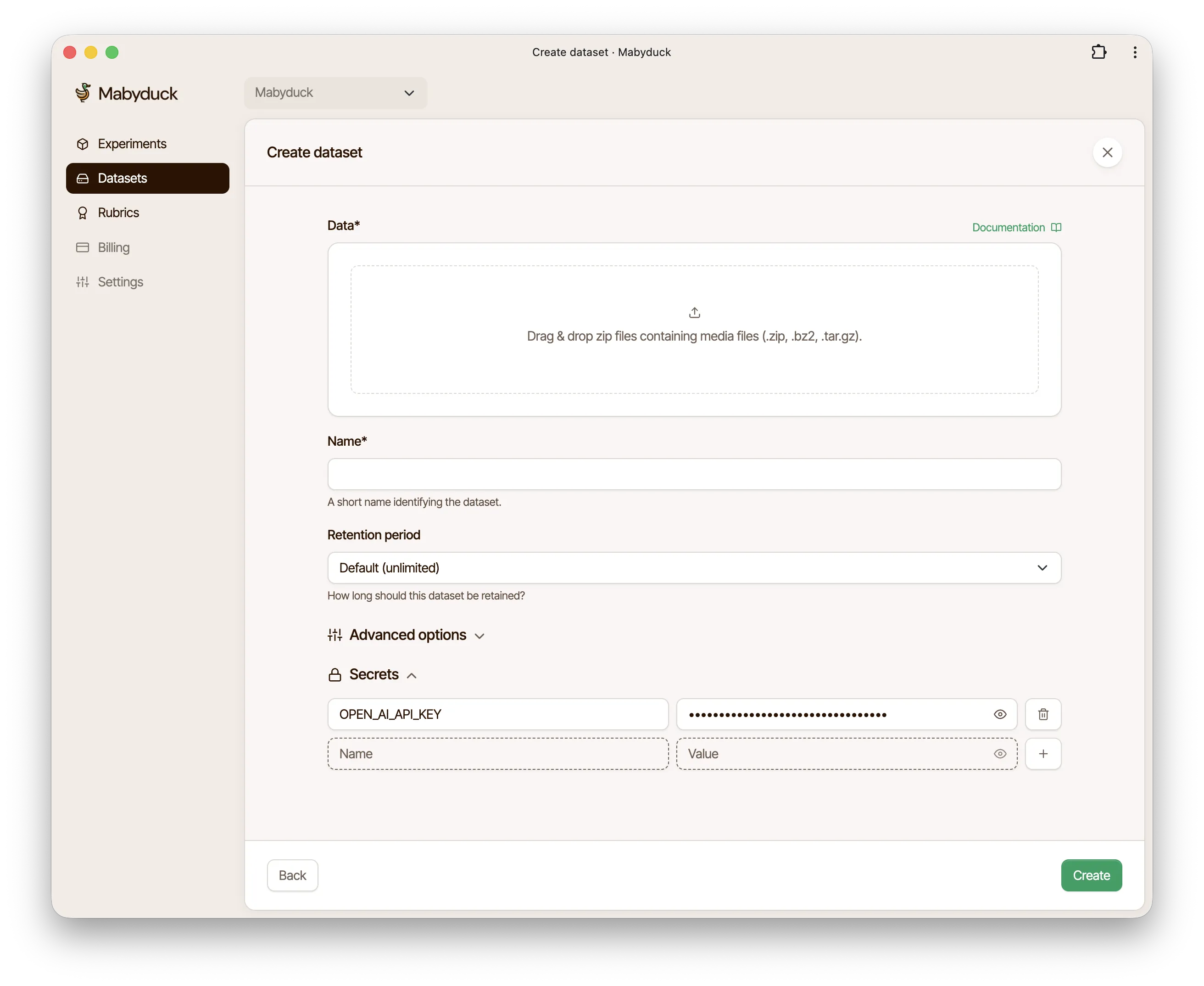
When creating a dataset, you can add secrets in the Secrets section. Each secret requires:
- Name: An uppercase identifier (e.g.,
API_KEY,OPENAI_KEY) - Value: The actual secret value
Secret names must start with an uppercase letter and can only contain uppercase letters, numbers, and underscores. For example: API_KEY, OPENAI_KEY, MY_TOKEN_123.
Using secrets in your code
Reference your secrets using the placeholder syntax:
#{SECRETS.SECRET_NAME}
When your code makes a network request containing this placeholder, it is automatically replaced with the actual secret value.
In URLs
const response = await fetch('https://api.example.com/generate?token=#{SECRETS.API_TOKEN}');
In headers
const response = await fetch('https://api.openai.com/v1/chat/completions', {
    method: 'POST',
    headers: {
        Authorization: 'Bearer #{SECRETS.OPENAI_KEY}',
        'Content-Type': 'application/json',
    },
    body: JSON.stringify({/* ... */}),
});
WebSocket connections
const ws = new WebSocket('wss://api.example.com/stream?token=#{SECRETS.WS_TOKEN}');
Multiple secrets
You can define multiple secrets per dataset and use them in the same request:
const response = await fetch('https://api.example.com/v1/generate', {
    method: 'POST',
    headers: {
        'X-API-Key': '#{SECRETS.API_KEY}',
        'X-Client-Secret': '#{SECRETS.CLIENT_SECRET}',
    },
    body: JSON.stringify({/* ... */}),
});
Adding secrets via the API
You can also add secrets when creating a dataset through the API by including a secrets array in your request:
curl -X POST \
    'https://api.mabyduck.com/projects/{project_id}/datasets/' \
    -H 'Authorization: Api-Key <YOUR_API_KEY>' \
    -H 'Content-Type: application/json' \
    -d '{
        "name": "My Dataset",
        "filename": "dataset.zip",
        "secrets": [
            {"name": "OPENAI_KEY", "value": "sk-..."},
            {"name": "API_TOKEN", "value": "token-123"}
        ]
    }'
import requests

response = requests.post(
    f'https://api.mabyduck.com/projects/{project_id}/datasets/',
    headers={'Authorization': 'Api-Key <YOUR_API_KEY>', 'Content-Type': 'application/json'},
    json={
        'name': 'My Dataset',
        'filename': 'dataset.zip',
        'secrets': [
            {'name': 'OPENAI_KEY', 'value': 'sk-...'},
            {'name': 'API_TOKEN', 'value': 'token-123'},
        ],
    },
)
Project secrets
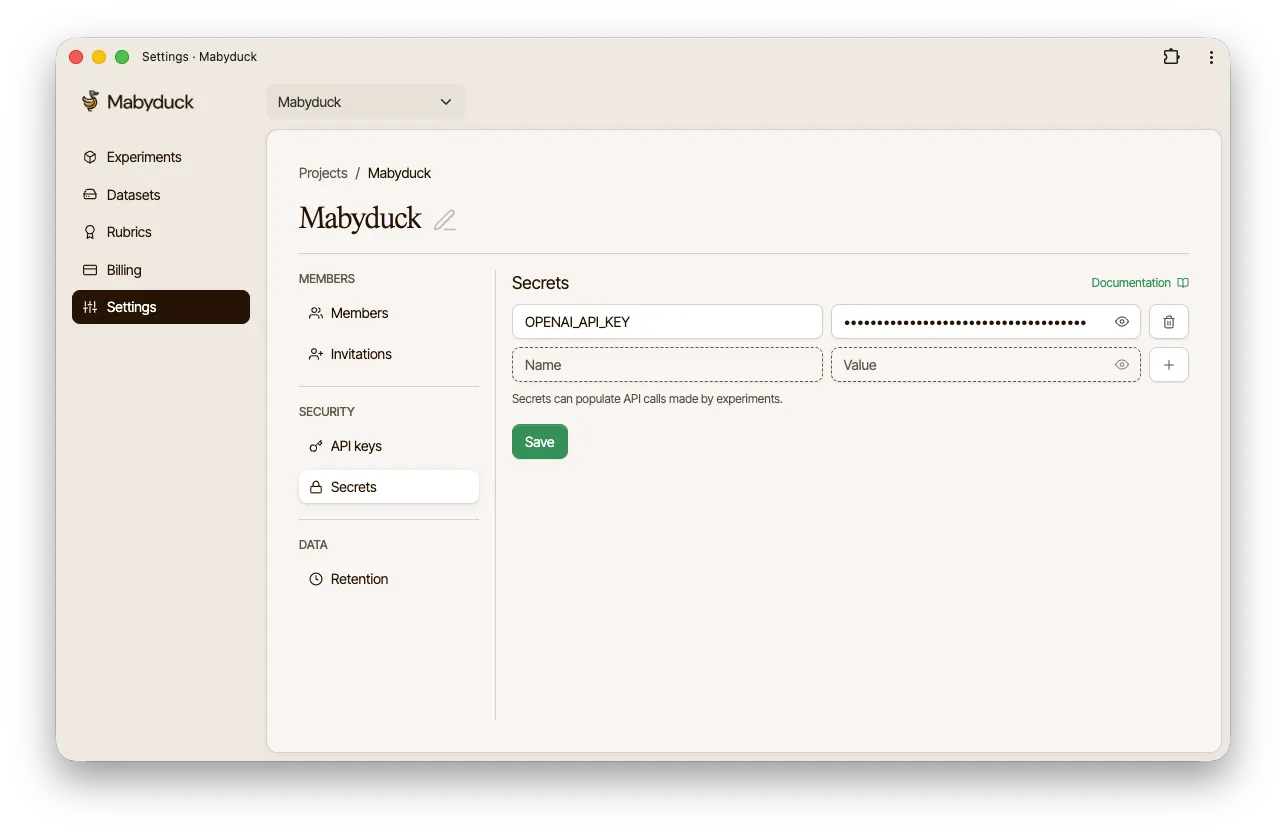
Project secrets are shared across all datasets within a project. They can be added in the Project Settings under the Secrets tab. Project secrets can be referenced in any dataset using the same #{SECRETS.SECRET_NAME} syntax, allowing you to manage common credentials at the project level. Dataset-level secrets take precedence over project-level secrets if there are naming conflicts.