Survey video
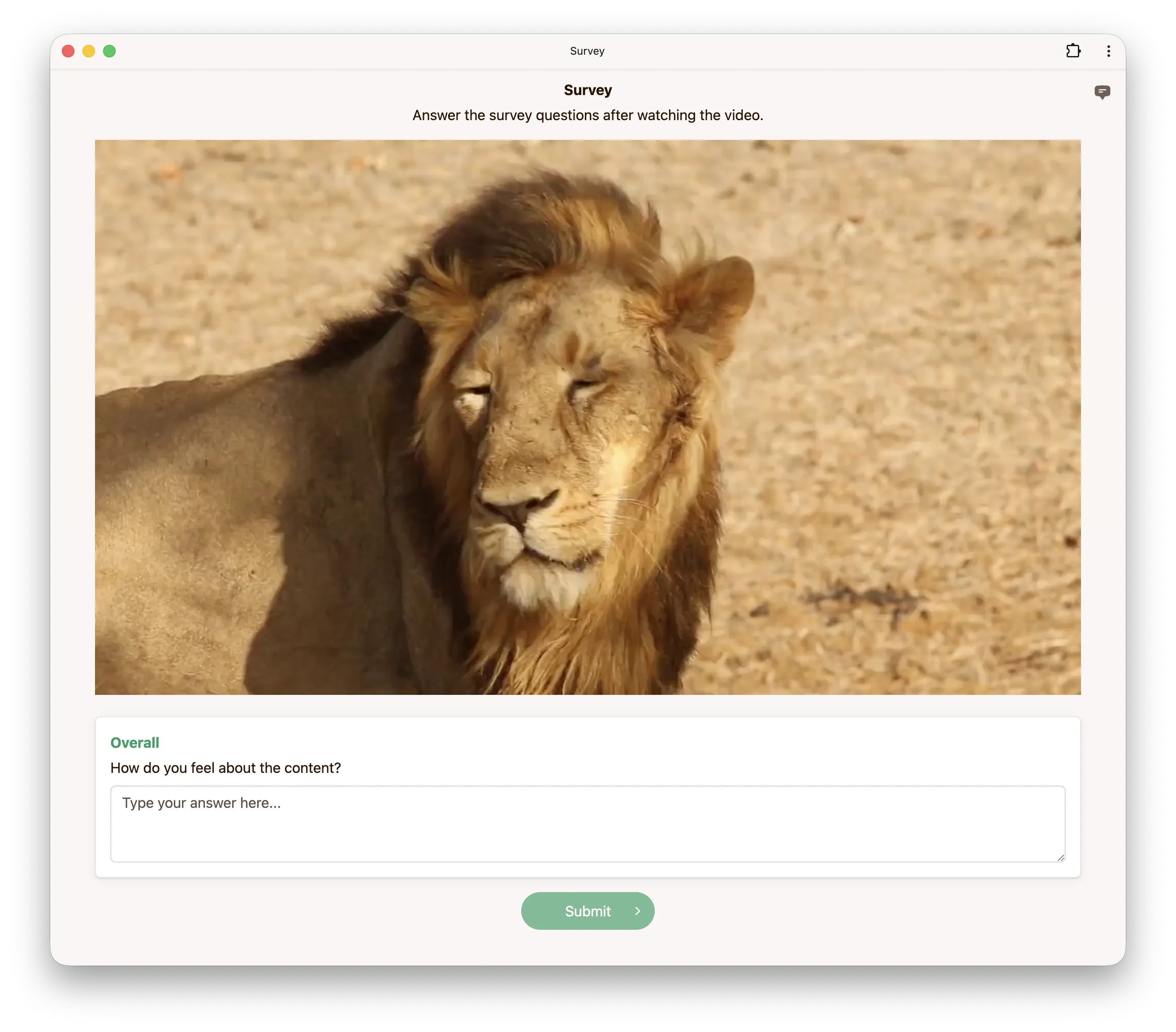
The survey video experiment presents raters with individual video stimuli and asks them to answer custom survey questions about each one. Unlike ACR video where raters select a score from a fixed category scale, the survey experiment supports open-ended text responses, single-choice (radio) and multiple-choice (checkbox) questions, and slider ratings.
This is useful when you need qualitative feedback or structured responses that go beyond a simple quality rating, such as asking raters to describe what they see, identify specific artifacts, or classify content attributes.
Survey questions
You can configure up to 10 survey questions per experiment. Each question requires a kind (the question type), a question (the prompt), and a dimension (a short label used to identify the question in the results).
The following question types are supported:
| Kind | Description |
|---|---|
textarea | An open-ended text response field. |
radio | A single-choice question where the rater selects one option. |
checkbox | A multiple-choice question where the rater selects one or more options. |
discrete_slider | A slider that snaps to one of the labelled categories. |
continuous_slider | A slider that can be placed anywhere between the labelled categories. |
For radio and checkbox questions, you must also provide a list of choices. For checkbox
questions, you can optionally set minSelect and maxSelect to constrain the number of
selections.
Slider questions instead require a list of categories (2 to 10 {label, score} objects giving
the labels shown along the slider and the score recorded at each one) and a responseType, which
must be discrete for discrete_slider and continuous for continuous_slider. A discrete slider
records the score of the category it snaps to; a continuous slider records a score interpolated
between the two neighbouring categories. Sliders do not take choices, minSelect or maxSelect.
Options
Audio
Audio is enabled by default when creating an experiment in the web interface. If your videos have
no audio track or you want them muted, disable this option. When supplying a configuration via the
API, set hasAudio to True to enable audio.
Fullscreen
When enabled, raters are required to view the video in fullscreen mode.
Minimum play duration
This option controls the minimum duration (in milliseconds) for which the video must be played before raters can submit their response.
Shuffle questions
Shows the questions in a random order. Shuffling per session keeps the same order across every
slate of a session, while shuffling per slate draws a new order for each slate. When supplying
a configuration via the API, set shuffleQuestions to none, session, or slate.
Dataset
Encoding video files
Our survey video experiment requires fragmented mp4s. Videos uploaded to our platform are
automatically fragmented but if you are self-hosting data, you can use the ffmpeg command
below to generate fragmented mp4s.
We do not transcode videos uploaded to our platform. For high
quality and wide browser compatibility, we recommend encoding videos using ffmpeg with the
following settings:
ffmpeg -i INPUT \
  -preset veryslow \
  -keyint_min 2 -g 24 -sc_threshold 0 \
  -c:v libx264 -pix_fmt yuv420p -crf 17 \
  -c:a aac -b:a 256k -ac 2 -ar 48000 \
  -movflags +frag_keyframe+empty_moov+default_base_moof \
  OUTPUT.mp4
CRF values below 18 are generally considered visually lossless. Similarly for audio, compression at 256 kbps or above is considered unnoticeable [1, 2].
Configuration via config.json
Instead of (or in addition to) setting a single survey for the whole experiment, you can define
survey questions per group directly in the dataset using a
config.json file. This is useful when different videos need
different questions: each group carries its own survey, which overrides the experiment-level
configuration set in the app or via the API.
Place a config.json next to the video in each group folder:
├── source_1/
│   ├── config.json
│   └── sample.mp4
├── source_2/
│   ├── config.json
│   └── sample.mp4
├── ...
The survey array uses the same question format described in Survey questions:
{
    "survey": [
        {
            "kind": "textarea",
            "dimension": "Overall",
            "question": "How do you feel about the video quality?"
        },
        {
            "kind": "radio",
            "dimension": "Realism",
            "question": "How realistic does this video look?",
            "choices": [
                { "label": "Very realistic" },
                { "label": "Somewhat realistic" },
                { "label": "Not realistic" }
            ]
        }
    ]
}
A group's config.json survey takes precedence over the experiment-level survey. You can put the
survey array at the root of the config as shown above, or nest it under the experiment key
(surveyVideo.survey), which takes precedence over a root-level survey.
Configuration via API
Below is an example configuration to get you started when using our API to create a survey video experiment.
config = {
    'surveyVideo': {
        'survey': [
            {
                'kind': 'textarea',
                'dimension': 'Overall',
                'question': 'How do you feel about the video quality?',
            },
            {
                'kind': 'radio',
                'dimension': 'Realism',
                'question': 'How realistic does this video look?',
                'choices': [
                    {'label': 'Very realistic'},
                    {'label': 'Somewhat realistic'},
                    {'label': 'Not realistic'},
                ],
            },
        ],
        'hasAudio': True,
        'fullscreen': False,
        'minPlayDuration': 1000,
        'shuffleQuestions': 'session',
    },
}
References
[1] Pras et al. (2009). Subjective Evaluation of MP3 Compression for Different Musical Genres.
[2] Hines et al. (2014). Perceived Audio Quality for Streaming Stereo Music.