Survey embedded
The survey embedded experiment combines the embedded experiment framework with custom survey questions. Raters view content rendered by your JavaScript code and then answer survey questions about it. Unlike the embedded rubric experiment where raters respond to statements on a fixed agreement scale, the survey experiment supports open-ended text responses, single-choice (radio) and multiple-choice (checkbox) questions, transcript highlighting, and slider ratings.
This is useful when you need qualitative or structured feedback about dynamically generated content, such as asking raters to describe their experience, identify issues, or classify content attributes.
For details on how to create datasets with JavaScript-based stimuli, see the embedded experiments documentation.
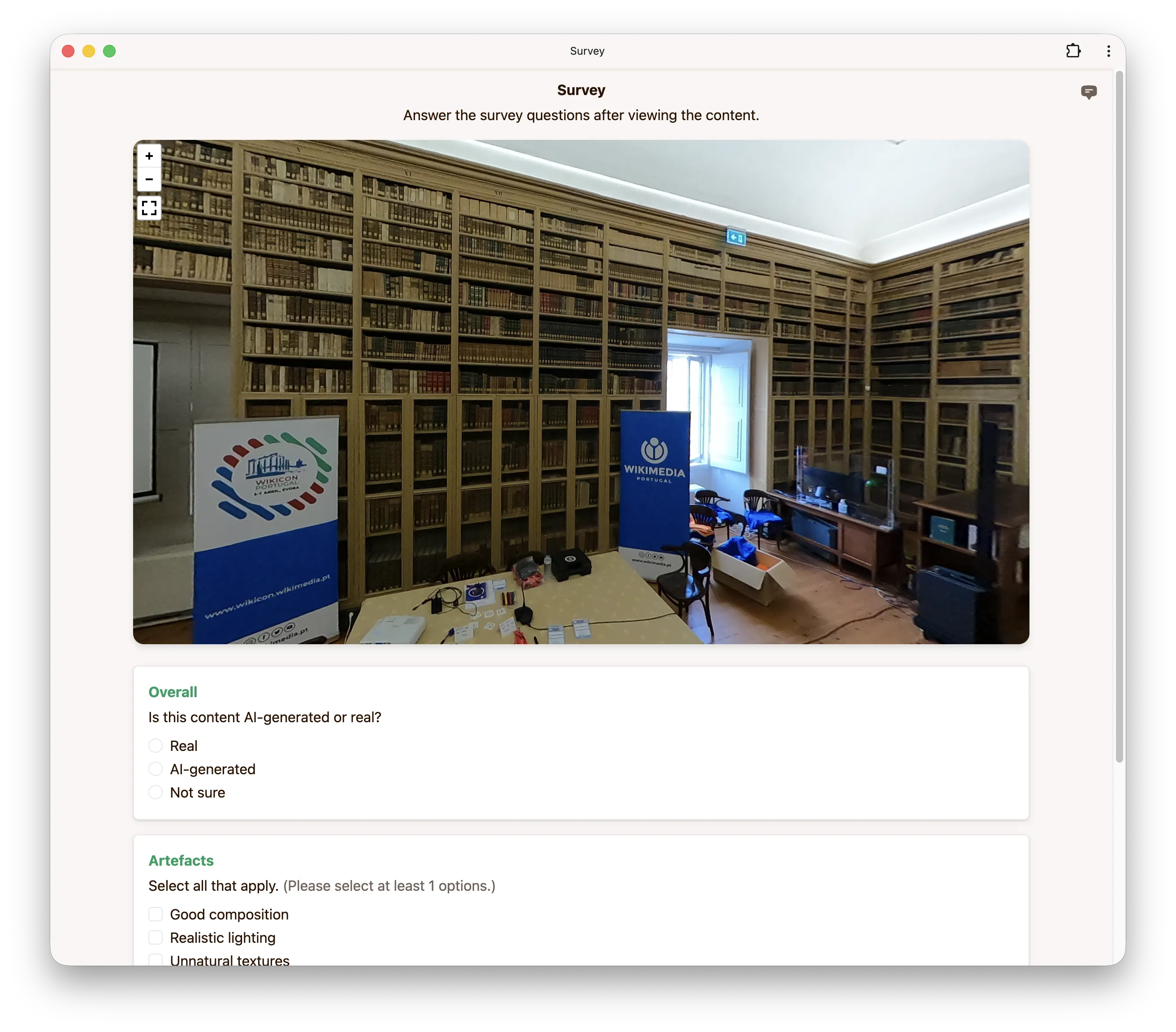
Survey questions
You can configure up to 10 survey questions per experiment. Each question requires a kind (the question type), a question (the prompt), and a dimension (a short label used to identify the question in the results).
The following question types are supported:
| Kind | Description |
|---|---|
textarea | An open-ended text response field. |
radio | A single-choice question where the rater selects one option. |
checkbox | A multiple-choice question where the rater selects one or more options. |
highlight | A transcript in which the rater highlights words by clicking or dragging. |
discrete_slider | A slider that snaps to one of the labelled categories. |
continuous_slider | A slider that can be placed anywhere between the labelled categories. |
For radio and checkbox questions, you must also provide a list of choices. For checkbox
questions, you can optionally set minSelect and maxSelect to constrain the number of
selections.
Slider questions instead require a list of categories (2 to 10 {label, score} objects giving
the labels shown along the slider and the score recorded at each one) and a responseType, which
must be discrete for discrete_slider and continuous for continuous_slider. A discrete slider
records the score of the category it snaps to; a continuous slider records a score interpolated
between the two neighbouring categories. Sliders do not take choices, minSelect or maxSelect.
highlight questions take neither choices nor categories. The transcript the rater marks up is not
part of the survey itself: it comes from a transcript string in the group's
config.json. Groups whose transcript is missing or empty hide the
highlight question.
Options
Audio
If your embedded content includes audio, you can enable this option so that audio is not muted during the experiment.
Iframe size
You can optionally set a fixed width and height (in pixels) for the iframe in which your JavaScript content is rendered. If not set, the iframe will use a default size.
Interaction duration
Set the minimum and maximum time you expect raters to interact with each embedded stimulus. Mabyduck uses this range to estimate how long a session takes, and therefore how much crowd-sourced raters are paid. See interaction duration for details. When configuring the experiment via the API, the range is given in milliseconds.
Configuration via config.json
Instead of (or in addition to) setting a single survey for the whole experiment, you can define
survey questions per group directly in the dataset using a
config.json file. This is useful when different stimuli need
different questions: each group carries its own survey, which overrides the experiment-level
configuration set in the app or via the API.
Place a config.json next to the JavaScript stimuli in each group folder (see the
embedded experiments documentation for the dataset layout):
├── source_1/
│   ├── config.json
│   └── content.js
├── source_2/
│   ├── config.json
│   └── content.js
├── ...
The survey array uses the same question format described in Survey questions:
{
    "survey": [
        {
            "kind": "textarea",
            "dimension": "Overall",
            "question": "How do you feel about the content?"
        },
        {
            "kind": "radio",
            "dimension": "Realism",
            "question": "How realistic does the content look?",
            "choices": [
                { "label": "Very realistic" },
                { "label": "Somewhat realistic" },
                { "label": "Not realistic" }
            ]
        }
    ]
}
A group's config.json survey takes precedence over the experiment-level survey. You can put the
survey array at the root of the config as shown above, or nest it under the experiment key
(surveyEmbed.survey), which takes precedence over a root-level survey.
Configuration via API
Below is an example configuration to get you started when using our API to create a survey embedded experiment.
config = {
    'surveyEmbed': {
        'survey': [
            {
                'kind': 'textarea',
                'dimension': 'Overall',
                'question': 'How do you feel about the content?',
            },
            {
                'kind': 'radio',
                'dimension': 'Realism',
                'question': 'How realistic does the content look?',
                'choices': [
                    {'label': 'Very realistic'},
                    {'label': 'Somewhat realistic'},
                    {'label': 'Not realistic'},
                ],
            },
        ],
        'hasAudio': False,
        'interactionDuration': {'min': 10000, 'max': 30000},
    },
}