Audio pre-screening
The audio pre-screening experiment is designed to check whether raters can reliably hear small differences between audio samples before they take part in a larger listening study.
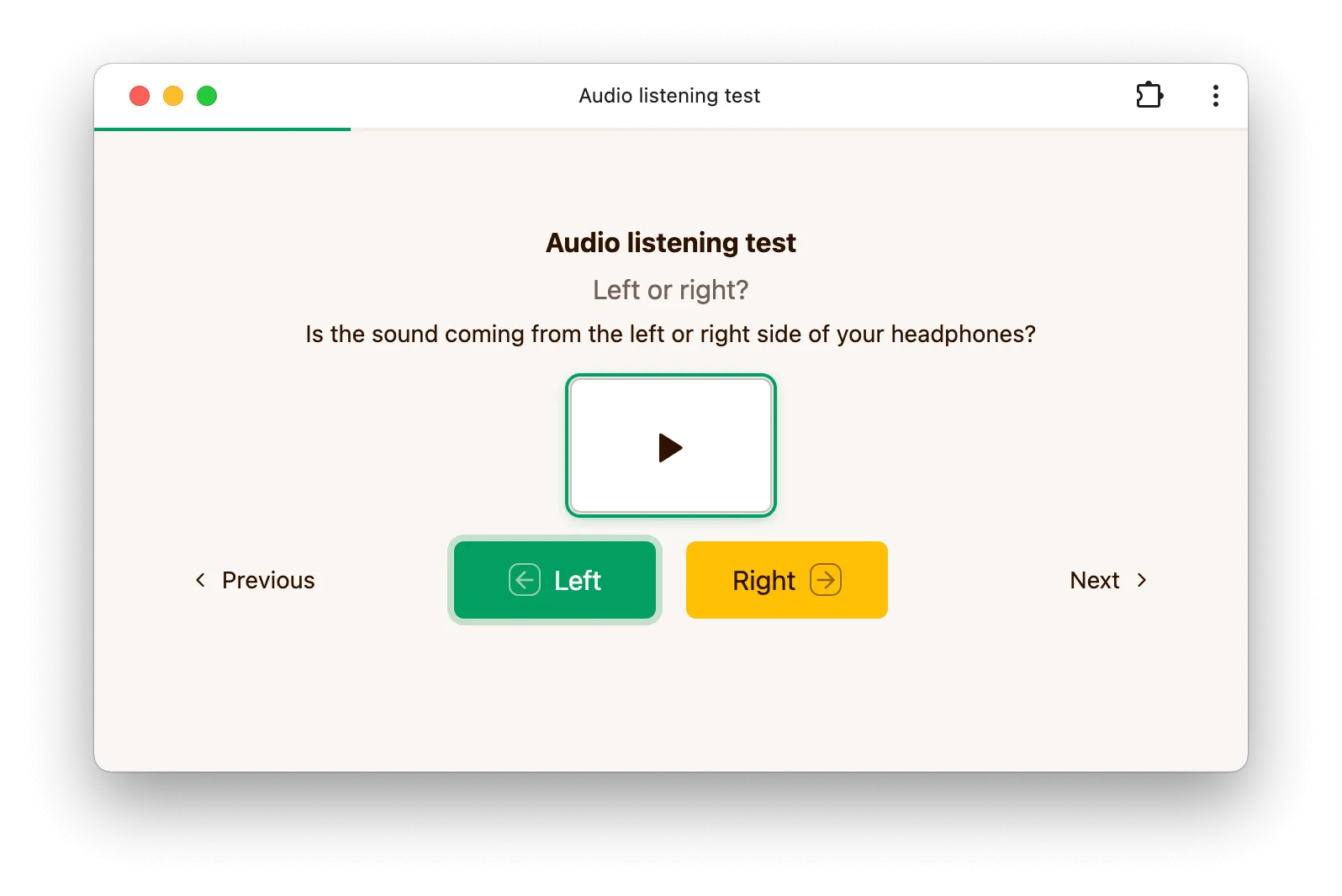
Raters are asked to use headphones and complete the task in a quiet environment. Each slate presents one or two audio clips, with no separately labeled reference player, and the rater must listen to every clip before making a decision. When the dataset defines a reference, it is mixed in unlabeled as one of the clips, and picking it counts as the correct answer. After the session, the outro page shows a per-question correct or incorrect summary.
How it works
Jobs created in the app default to a lexicographic sampling strategy, with randomized as the other option offered in the job form. They also try to include the dataset reference and anchors whenever those are available.
Depending on the dataset and job setup, a slate can contain either one or two test clips. In both cases, the task is intended as a screening step rather than a full preference study.
Dataset format
The canonical audio pre-screening dataset uses one folder per question. Each folder contains a
config.json file and either one audio file or two audio files.
Single-audio question
Some screening tasks ask the rater to listen to a single clip and answer a simple prompt:
group_name/
  config.json
  clip.mp3
Example from the canonical dataset:
{
    "title": "Hearing Test",
    "question": "Left or right?",
    "description": ["Does the sound come from the left or right side of your headphones?"]
}
Two-audio discrimination question
Other tasks present two clips and ask the rater to choose the correct one:
group_name/
  config.json
  clip_a.mp3
  clip_b.mp3
Example:
{
    "title": "Hearing Test",
    "question": "Which audio file is the original?",
    "description": [
        "One of these audio files has been processed with an algorithm that degrades the audio quality. Select the original, unprocessed audio file."
    ]
}
The canonical dataset also includes language-focused pairs with multi-line instructions, for example:
{
    "title": "Preposition Test",
    "question": "Which version sounds correct?",
    "description": [
        "You will hear two very similar sentences.",
        "Only one of them sounds natural to a native speaker.",
        "Pay attention to the preposition in the sentence."
    ]
}
and:
{
    "title": "Word Order Test",
    "question": "Which version sounds correct?",
    "description": [
        "You will hear a subordinate clause with a small difference.",
        "Only one version has a natural word order.",
        "Pay attention to the position of the verb at the end of the sentence."
    ]
}
In practice, title, question, and description are the main dataset-level fields used by the
canonical pre-screening audio set.
Options
This experiment currently has no dedicated experiment-level options in the app form. Most of the behavior comes from the dataset contents and the job configuration.
Allow tie
The experiment-level config key preScreenAudio.allowTie defaults to false. With ties disabled,
the rater interface hides the Tie button, the T and down-arrow shortcuts cannot select a tie,
and the server rejects tie answers with a "Ties are not allowed." error.
Set allowTie to true to show the Tie button, enable both keyboard shortcuts, and allow tie
answers on the server.
Job setup
For pre-screening jobs, the app form defaults to a lexicographic strategy so raters see a stable, predictable sequence of screening questions.
The create-job API's strategy field accepts either a strategy type string or a full strategy
configuration object, so you can reproduce the app form's pre-screening defaults exactly:
{
    "strategy": {
        "type": "lexicographic",
        "reference": "include_always",
        "anchors": "include_always",
        "min_conditions": 1,
        "max_conditions": 2
    }
}
Configuration via API
Below is a minimal experiment configuration accepted by the public API when creating an audio pre-screening experiment.
config = {
    'preScreenAudio': {},
}
When creating a draft job through the public API, you can use a payload such as:
{
    "rater_pool_id": "b1ou403",
    "num_sessions": 1,
    "num_comparisons": 2,
    "num_training": 0,
    "strategy": "lexicographic"
}