Rank audio
The rank audio experiment presents raters with multiple audio stimuli and asks them to rank them from best to worst. Optionally, a reference audio sample may be shown against which the stimuli are compared. Each slate can contain between 2 and 9 audio clips.
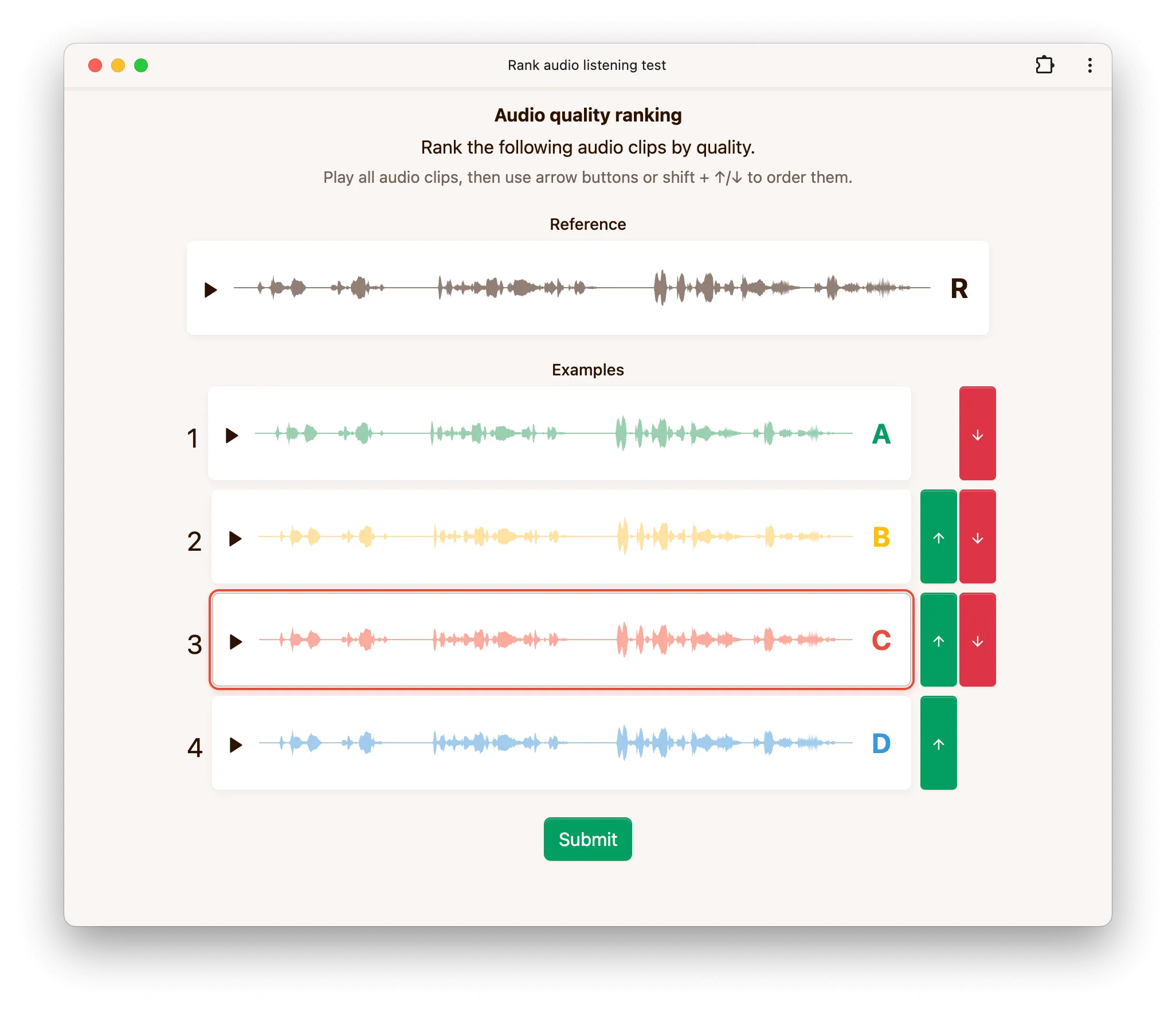
Options
Show reference
If disabled, no reference audio is played even if a reference is present in the dataset. If enabled, a reference audio sample is shown when available in the dataset.
Hidden reference
When enabled, a hidden reference is included among the examples being ranked. Since the rater does not know which clip is the reference, this can be used as an attention check.
Waveform
This option controls how the waveform is rendered. The default setting renders a waveform based on each audio sample. Choosing stylized renders a stylized waveform that hides fine details while still giving a visual indication of the overall amplitude envelope. The waveform can be disabled completely by choosing none, which results in a simpler interface with play buttons only.
Minimum play duration
This option controls the minimum duration (in milliseconds) for which each audio stimulus must be played before raters can submit their ranking.
Number of conditions
This option controls the maximum number of audio clips shown in a single slate. Unlike the options above, it is configured at the job level rather than as part of the experiment itself.
The number of conditions must be between 2 and 9. If a folder in your dataset contains more audio clips than this limit, only a subset is shown in each slate.
Configuration via API
Below is an example configuration to get you started when using our API to create a rank audio experiment.
config = {
    'rankAudio': {
        'showReference': True,
        'hiddenReference': False,
        'showWaveform': 'stylized',
        'minPlayDuration': 1000,
    },
}