Real or not?
The binary image experiment presents raters with a single image and asks them to decide which of two categories it belongs to. By default, these categories are Real and Generated, but the labels can be customized.
This experiment is useful for discrimination tasks where you want to measure whether raters can tell apart reference images from synthetic or otherwise manipulated images. In each trial, raters view one image and choose between the two configured labels.
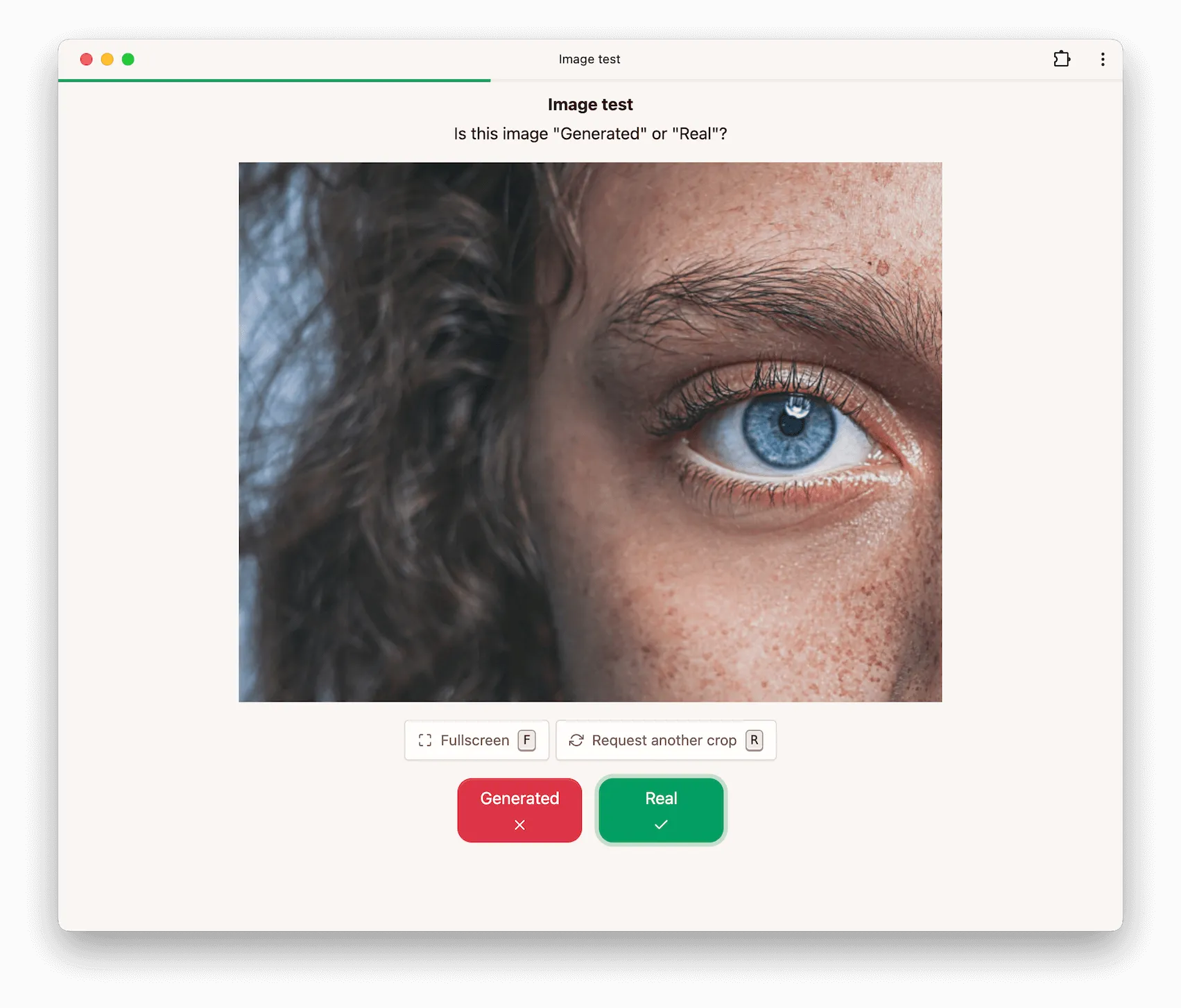
Categories
The two response labels are configurable. By default, the interface uses:
| Key | Label |
|---|---|
real | Real |
fake | Generated |
You can replace these with labels that better match your task, as long as there are still exactly two categories.
Options
Minimum view duration
This option controls the minimum duration (in milliseconds) for which the image must be displayed before raters can submit their response.
Reference probability
This option controls how often a reference image is shown instead of a non-reference image. A value
of 0 means reference images are never used, a value of 1 means only reference images are used,
and 0.5 means reference and non-reference images are shown equally often.
This is useful when the dataset contains reference images and you want to measure how reliably raters can distinguish them from generated or manipulated examples.
Give feedback
If enabled, raters hear immediate audio feedback after each response indicating whether their decision was correct. Disable this option if you do not want raters to learn from feedback during the experiment.
Cropping
Images may be cropped if the full-resolution image would not fit comfortably on screen. The maximum crop size controls the size of the visible crop.
The initial crop is chosen uniformly at random from all possible crops. If you enable allow crop refresh, raters can request a different random crop during the task.
Configuration via API
Below is an example configuration to get you started when using our API to create a binary image experiment.
config = {
    'binaryImage': {
        'labels': {
            'real': 'Real',
            'fake': 'Generated',
        },
        'referenceProbability': 0.5,
        'minViewDuration': 1000,
        'maxCropSize': 512,
        'allowCropRefresh': True,
        'giveFeedback': True,
    },
}